LLMs & R

as of December 2025

Outline


Web Tools

  • Shiny Assistant
    • Browser-based tool
    • Great for UI layouts
    • Model specification

Web Tools

Shiny assistant


you can ask it questions about Shiny, or to create a Shiny application from scratch, or ask it to make changes to an existing application.” - Shiny Assistant, Winston Chang

Shiny-flavored chatbot


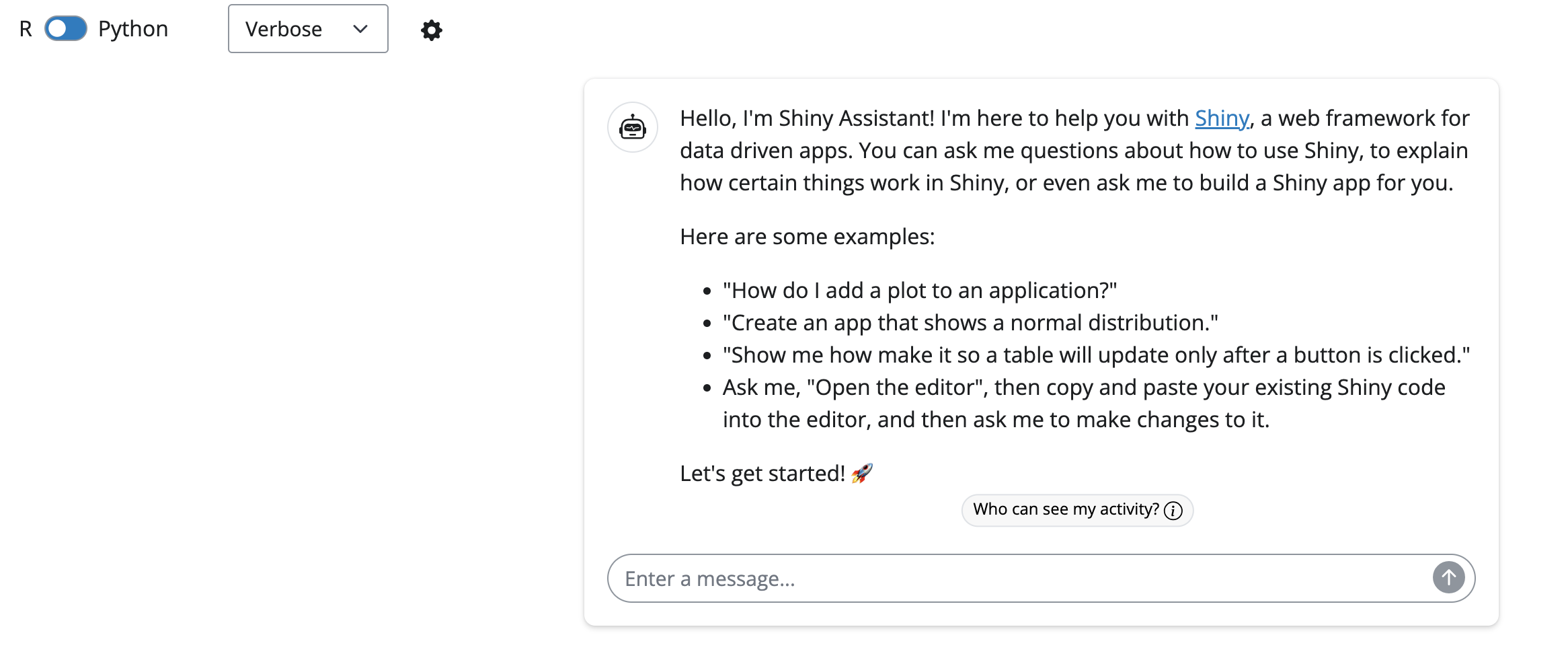
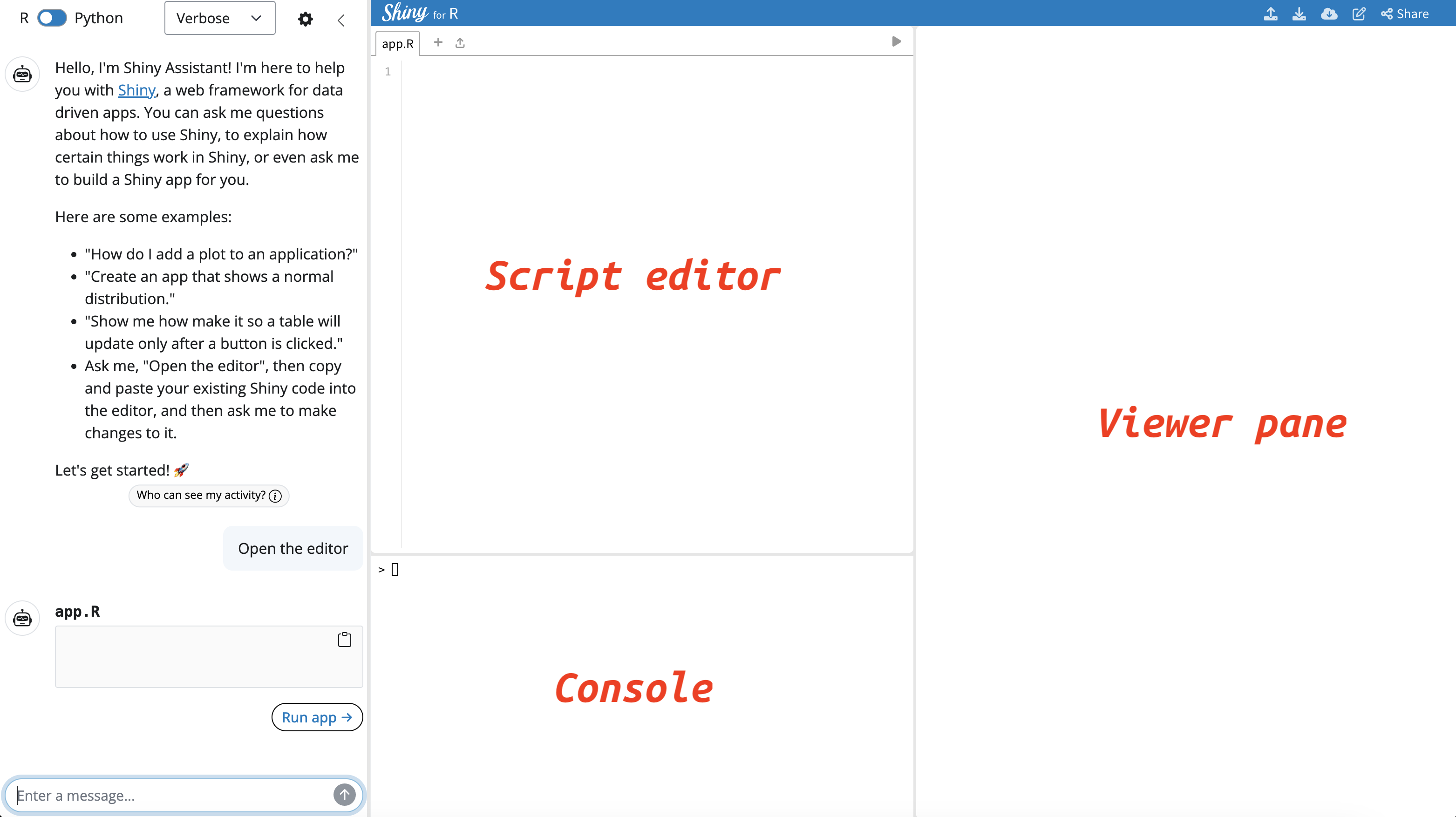
Head over to Shiny Assistant and you will see the following:

Development environment


Enter “Open the editor” and an IDE opens with a script editor, console, and viewer pane:
Language settings


Shiny Assistant builds apps in R or Python.


Chat settings


Chat settings can be set to Verbose, Concise, or Code Only:


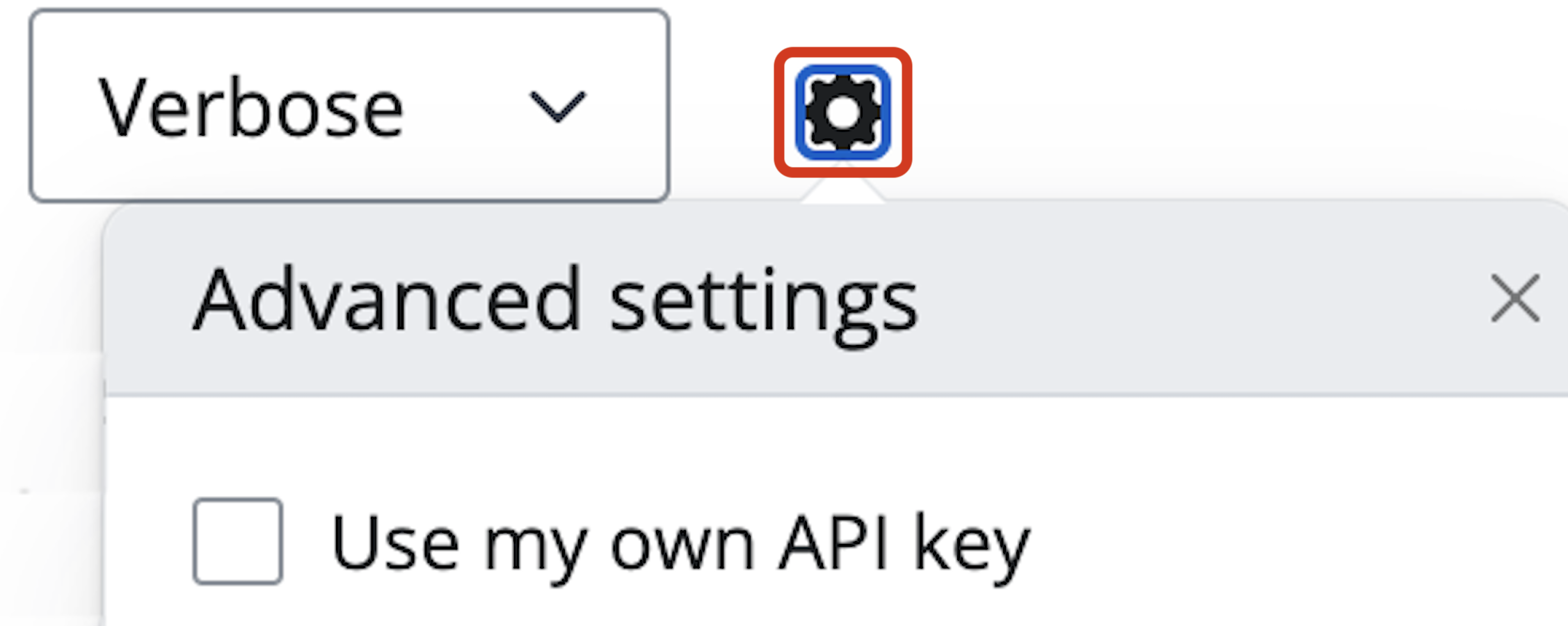
Model configuration


User’s can also enter an API key from a specific model provider:

Prompts


Including things like data structure/columns to model improves design:

glimpse(movies, 0)
# Rows: 651
# Columns: 18
# $ title             …
# $ genre             …
# $ runtime           …
# $ year              …
# $ top200_box        …
# $ director          …
# $ mpaa_rating       …
# $ imdb_rating       …
# $ critics_rating    …
# $ audience_rating   …
# $ imdb_num_votes    …

Upload & download files


Files can be uploaded and download into the UI.


Download all files by clicking on the cloud icon.

R packages

ellmer


ellmer makes it easy to use large language models (LLM) from R.


install.packages('ellmer')
# or the dev version
pak::pak('tidyverse/ellmer')


ellmer serves as the ‘backbone’ for other R/LLM packages

ellmer chat_ functions


chat_*() functions simplify connections to LLM providers


  • Open .Renviron and add ANTHROPIC_API_KEY


  • Specify model version


  • Optional system_prompt argument


library(ellmer)
chat <- chat_openai(model = "o1-mini")
# Using model = "o1-mini".


chat <- chat_anthropic(
    model = "claude-sonnet-4-5-20250929",
    system_prompt = "You are an expert R/Python
                     programmer ...",
    )

ellmer Chat objects


Chat objects contain “user and assistant Turns sent to a specific Provider” and any registered tools.


chat$chat("Create a shiny app that visualizes
  the starwars dataset from the dplyr package")


chat$get_cost()
# [1] $0.04


chat$get_model()
# [1] "claude-sonnet-4-5-20250929"

ellmer demo


View the demo prompts and responses in the GitHub repo.


ellmer
├── app.R
└── README.md

1 directory, 2 files

chores


The chores package,


helps you complete repetitive, hard-to-automate tasks quickly.


install.packages(c('ellmer', 'chores'))
# or the dev versions
pak::pak('tidyverse/ellmer')
pak::pak("simonpcouch/chores")

chores setup


Configuring LLM provider with ellmer:


  • Open .Rprofile


  • Set .chores_chat with the proper ellmer::chat_*() function


usethis::edit_r_profile()


options(
  .chores_chat = ellmer::chat_claude(
    model = "claude-sonnet-4-5-20250929",
    system_prompt = "You are an expert R/Python 
    programmer who loves explaining complex topics
    to non-technical audiences."
))

chores keyboard shortcut


  1. Run “Open Keyboard Shortcuts (JSON)” to open the command palette


  1. Add JSON to keybindings.json


  {
      "key": "Ctrl+Cmd+C",
      "command": "workbench.action.executeCode.console",
      "when": "editorTextFocus",
      "args": {
          "langId": "r",
          "code": "chores::.init_addin()",
          "focus": true
      }
  }

chores addin


chores custom helpers


Users can create custom helpers (prompts) by writing instructions in Markdown files.


Helper prompts must be named either replace, prefix, or suffix.


  • replace: removes the highlighted text and replaces it with a response.

  • prefix: inserts a response above the highlighted text.

  • suffix: places the response below the highlighted text.

chores adding custom helpers


Add a custom helper to the chores addin with chores::prompt_new():


Provide the URL to a raw markdown file:


chores::prompt_new(
  "shinymod", 
  "prefix", 
  contents = "https://raw.githubusercontent.com/mjfrigaard/chorrrin/refs/heads/main/inst/prompts/shinymod-prefix.md"
)

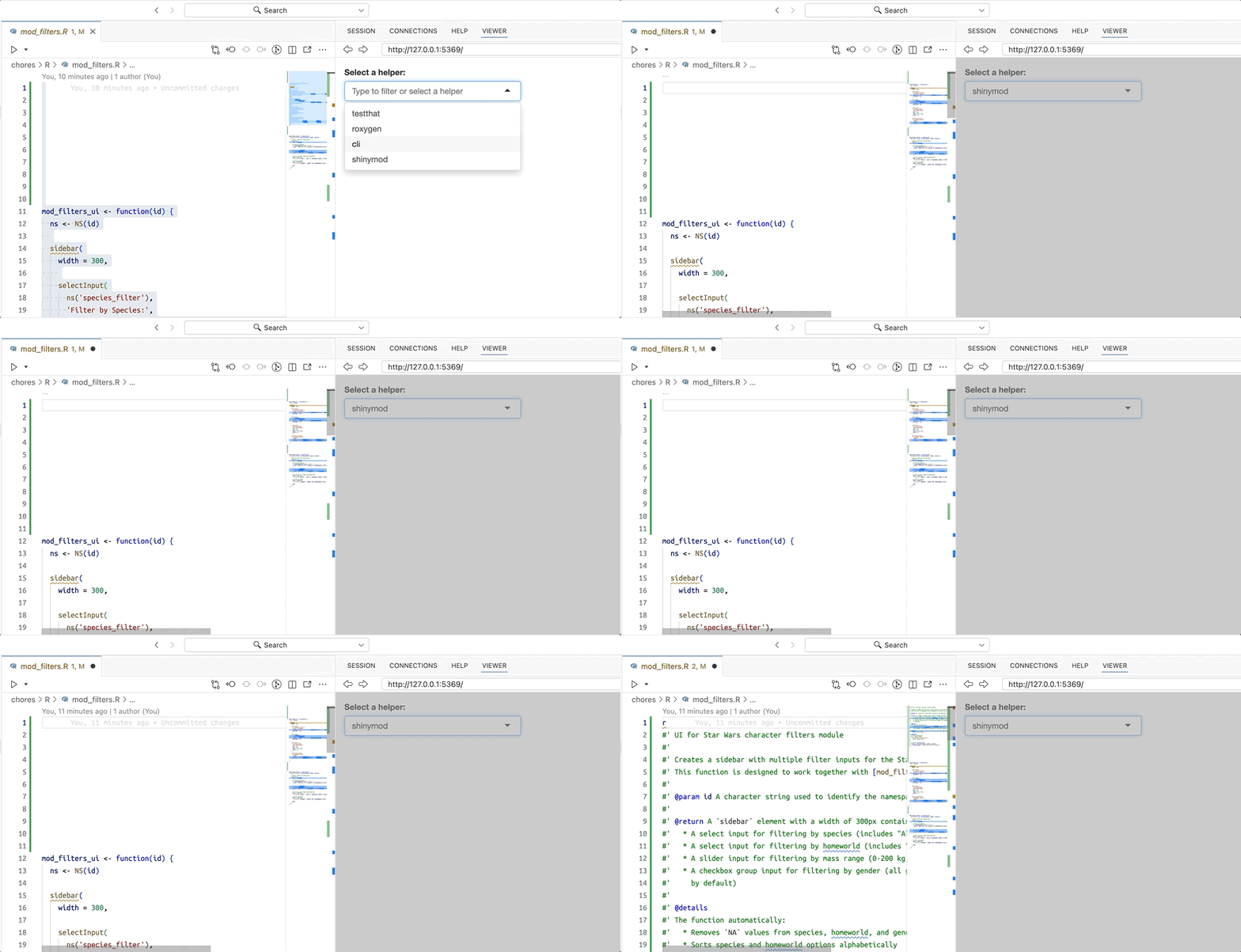
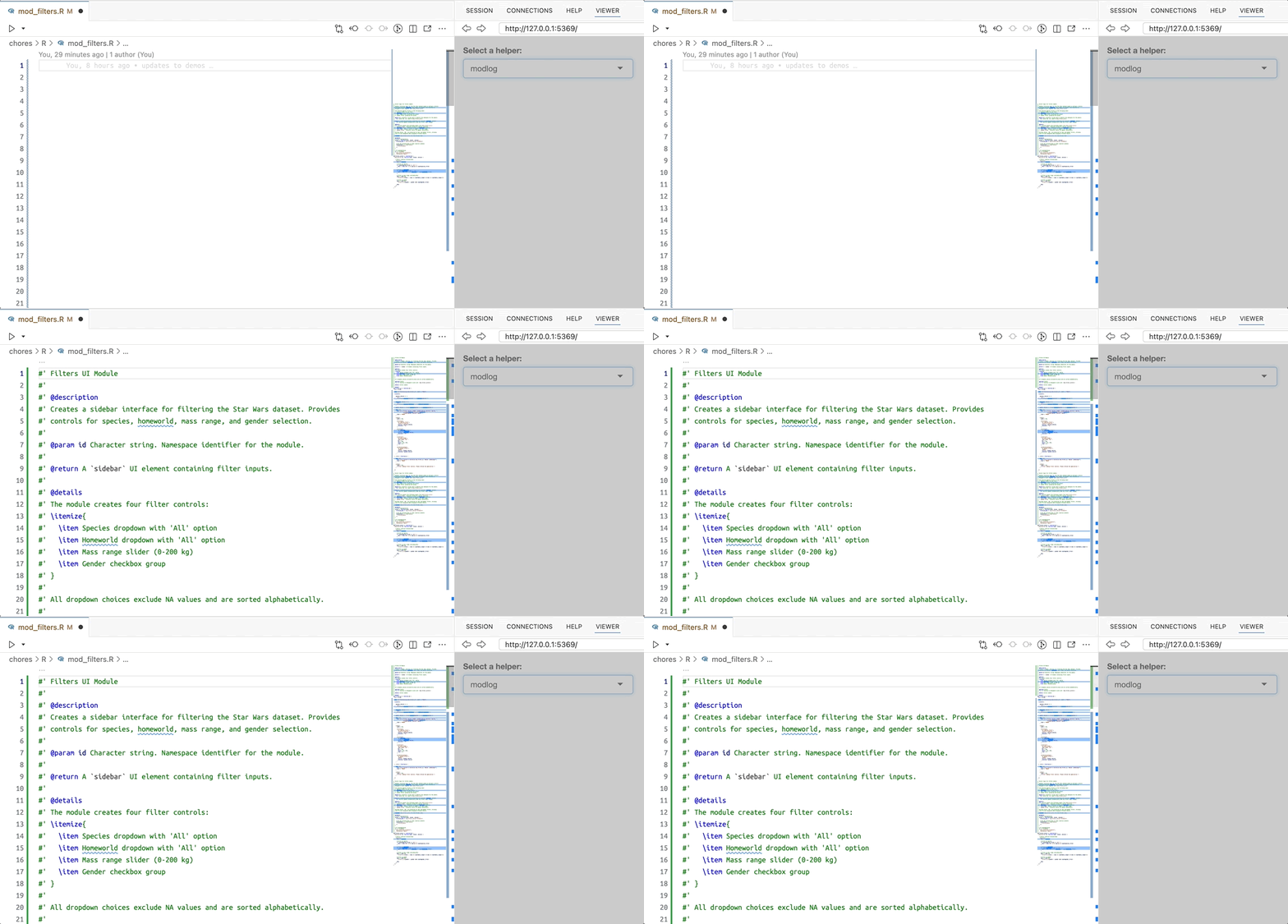
chores custom helper demo


chores extension packages


Or create and install a small chores extension package.


# install.packages("pak")
pak::pak("mjfrigaard/chorrrin")
library(chorrrin)


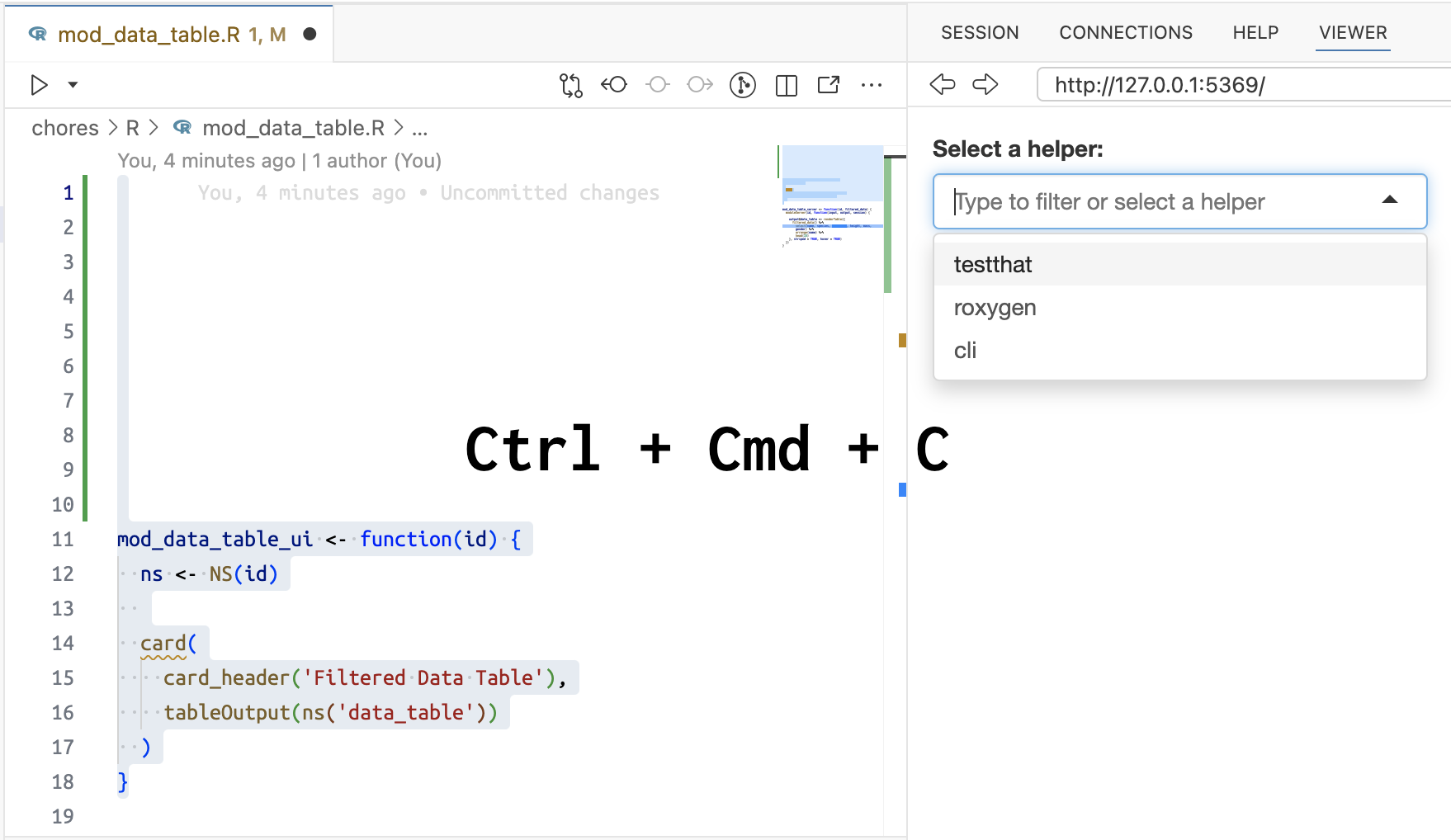
  1. Hit the keyboard shortcut

    • Ctrl + Cmd + C
  2. Select custom helper

  3. Click Enter

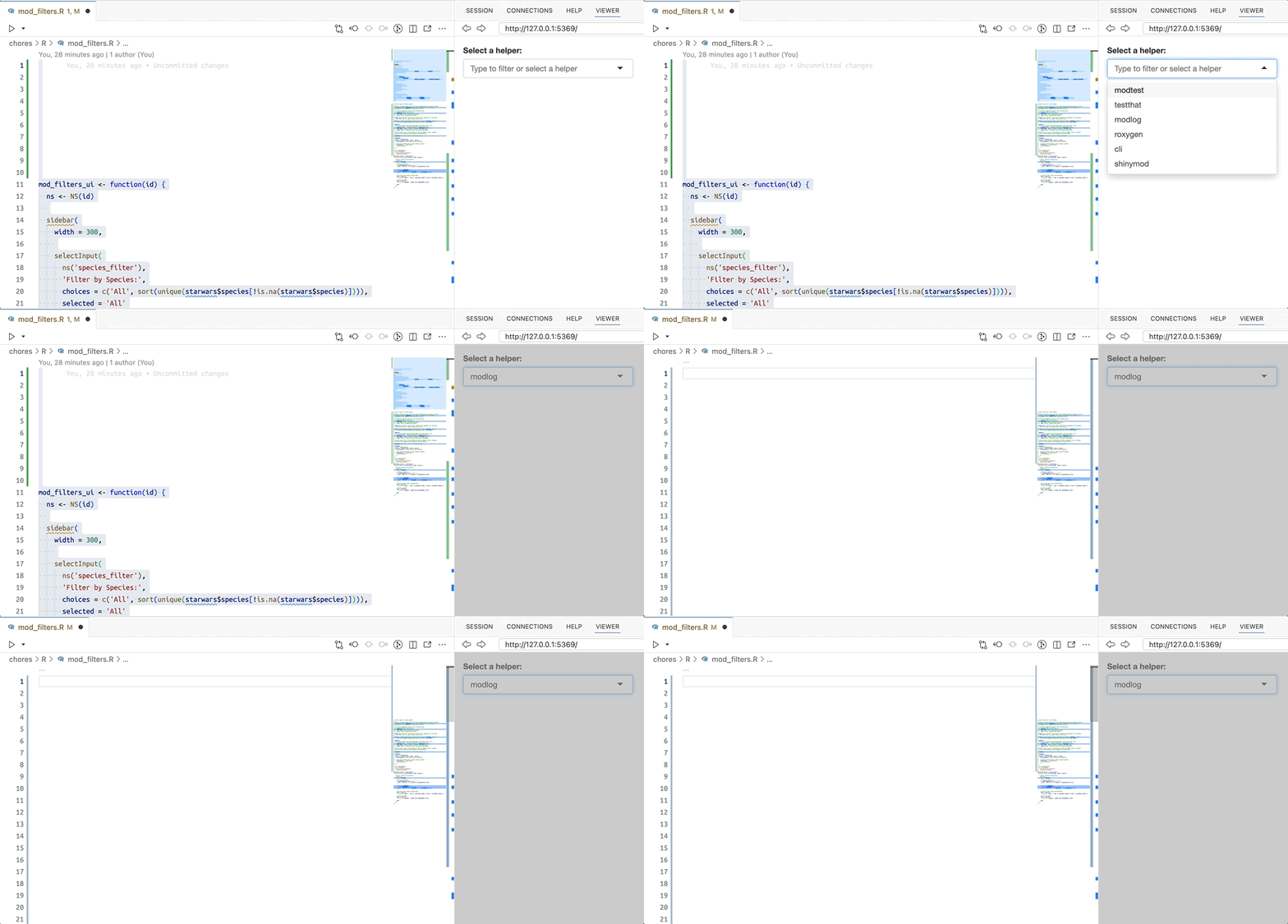
chores extension package demo


chores extension package demo

chores demo


View the demo prompts and responses in the GitHub repo.


chores
├── app_log.txt
├── app.R
├── R
│   ├── logr_msg.R
│   ├── mod_data_table.R
│   ├── mod_filters.R
│   ├── mod_height_dist.R
│   ├── mod_scatter.R
│   ├── mod_species_bar.R
│   └── mod_summary.R
└── README.md

2 directories, 10 files

gander


gander goes beyond ellmer and chores by extending the use of LLM models to,


talk[ing] to the objects in your R environment.

gander setup

  • Install and configure gander with ellmer.


  • Add ANTHROPIC_API_KEY, OPENAI_API_KEY, etc. to .Renviron


  • Configure .gander_chat in .Rprofile
install.packages(c('ellmer', 'gander'))
# or the dev versions
pak::pak('tidyverse/ellmer')
pak::pak("simonpcouch/gander")


usethis::edit_r_environ() 


usethis::edit_r_profile() 


options(
  .gander_chat = ellmer::chat_anthropic()
)

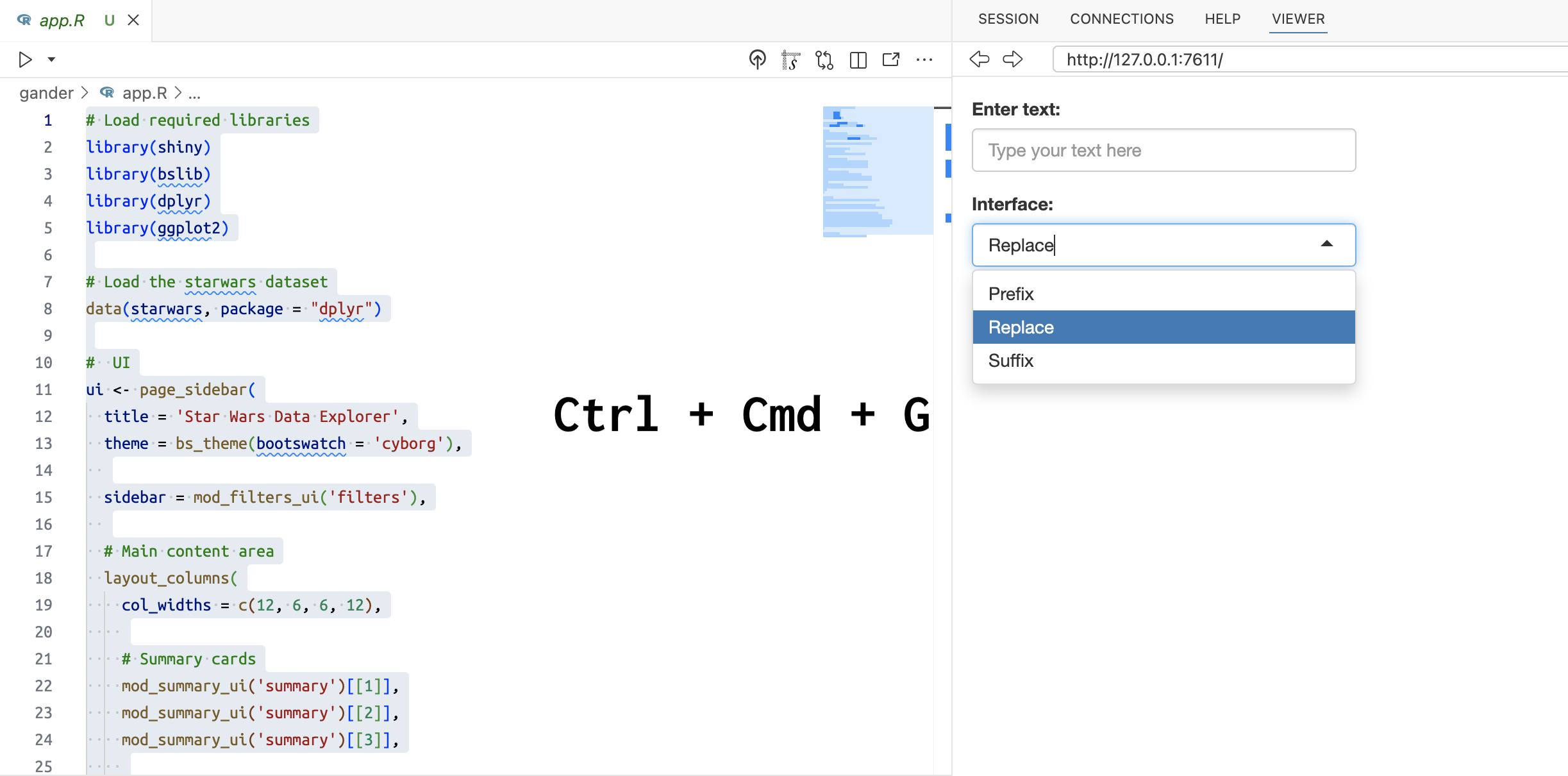
gander addin


The gander addin includes a text box and options for Prefix, Replace, or Suffix
gander addin demo
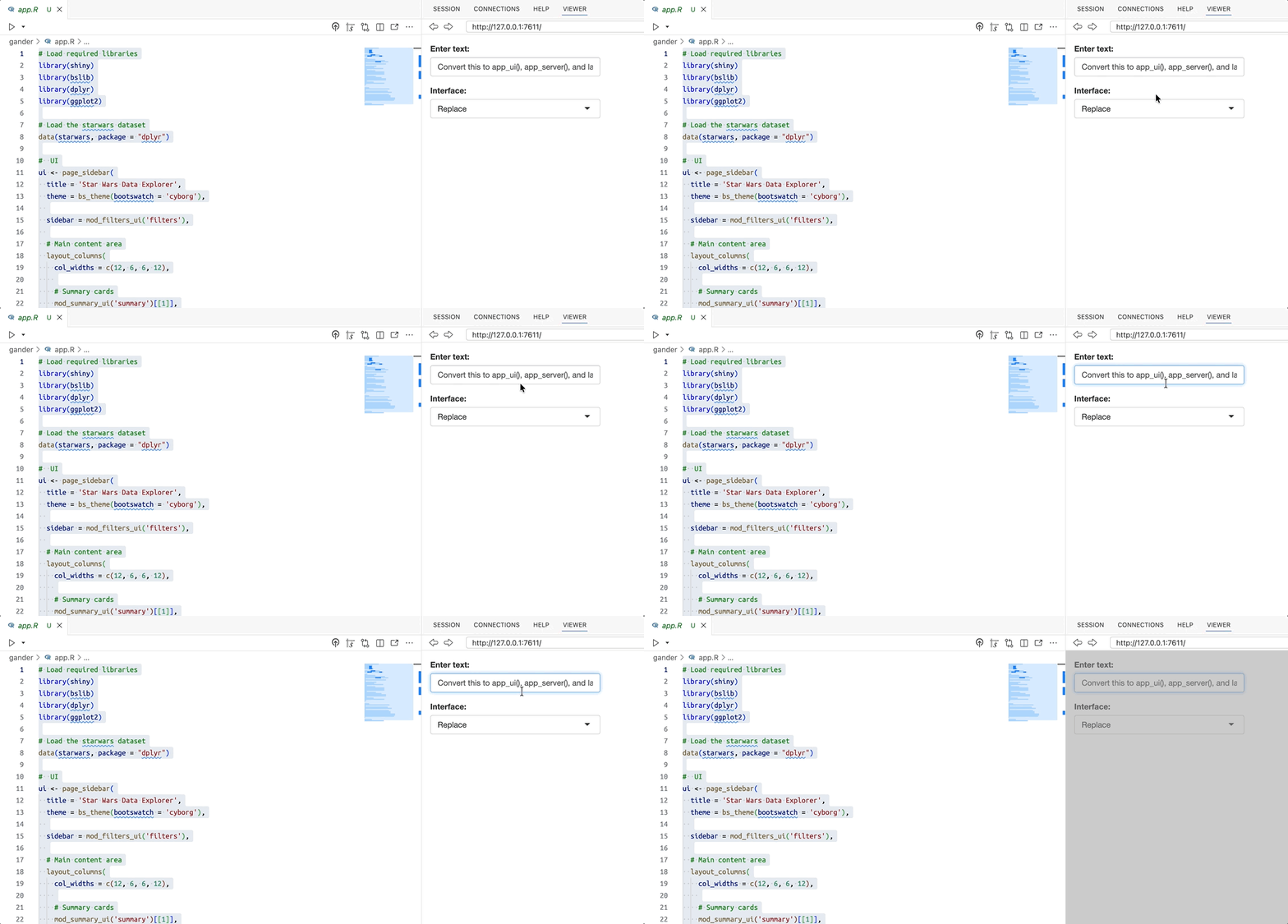

gander addin demo
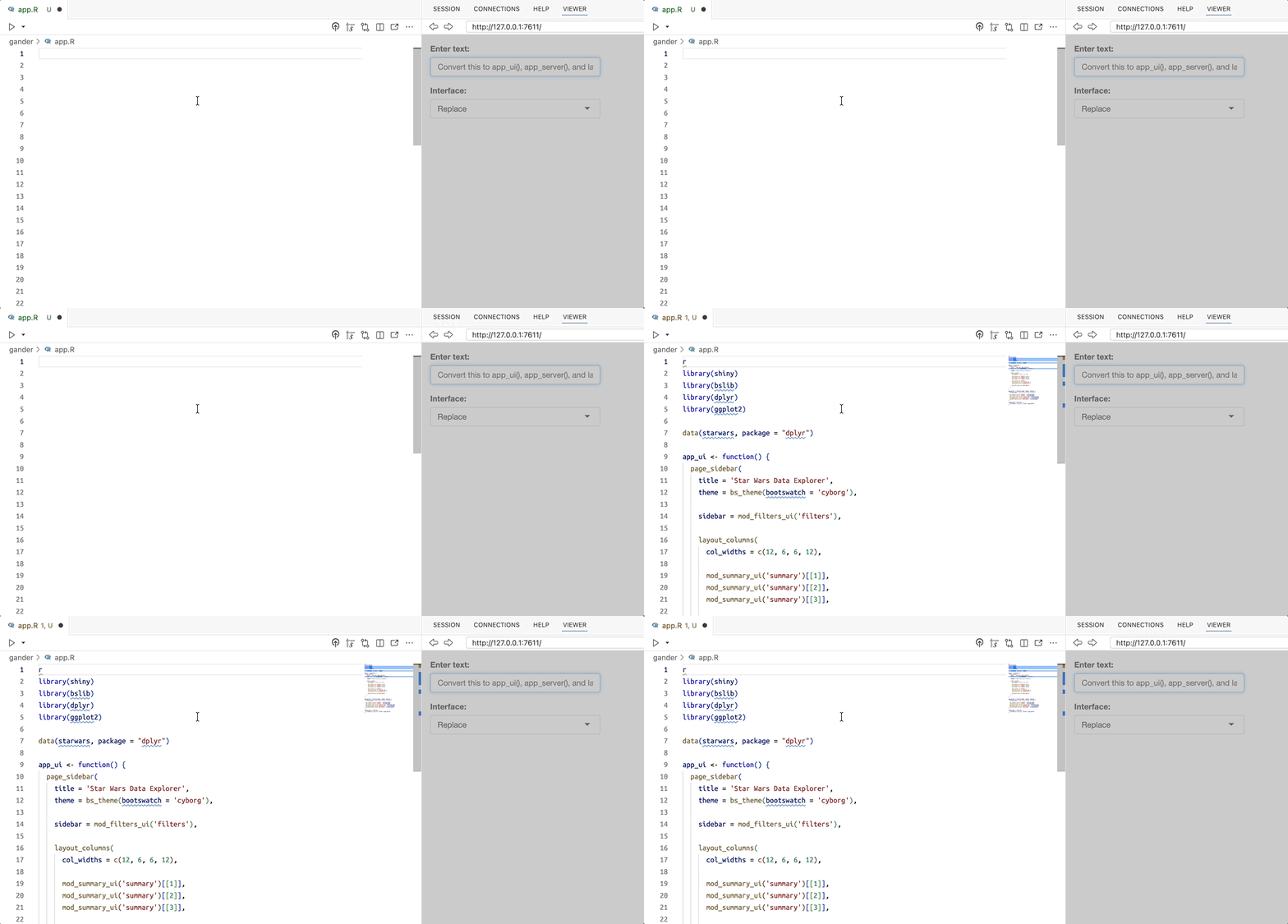

gander addin demo
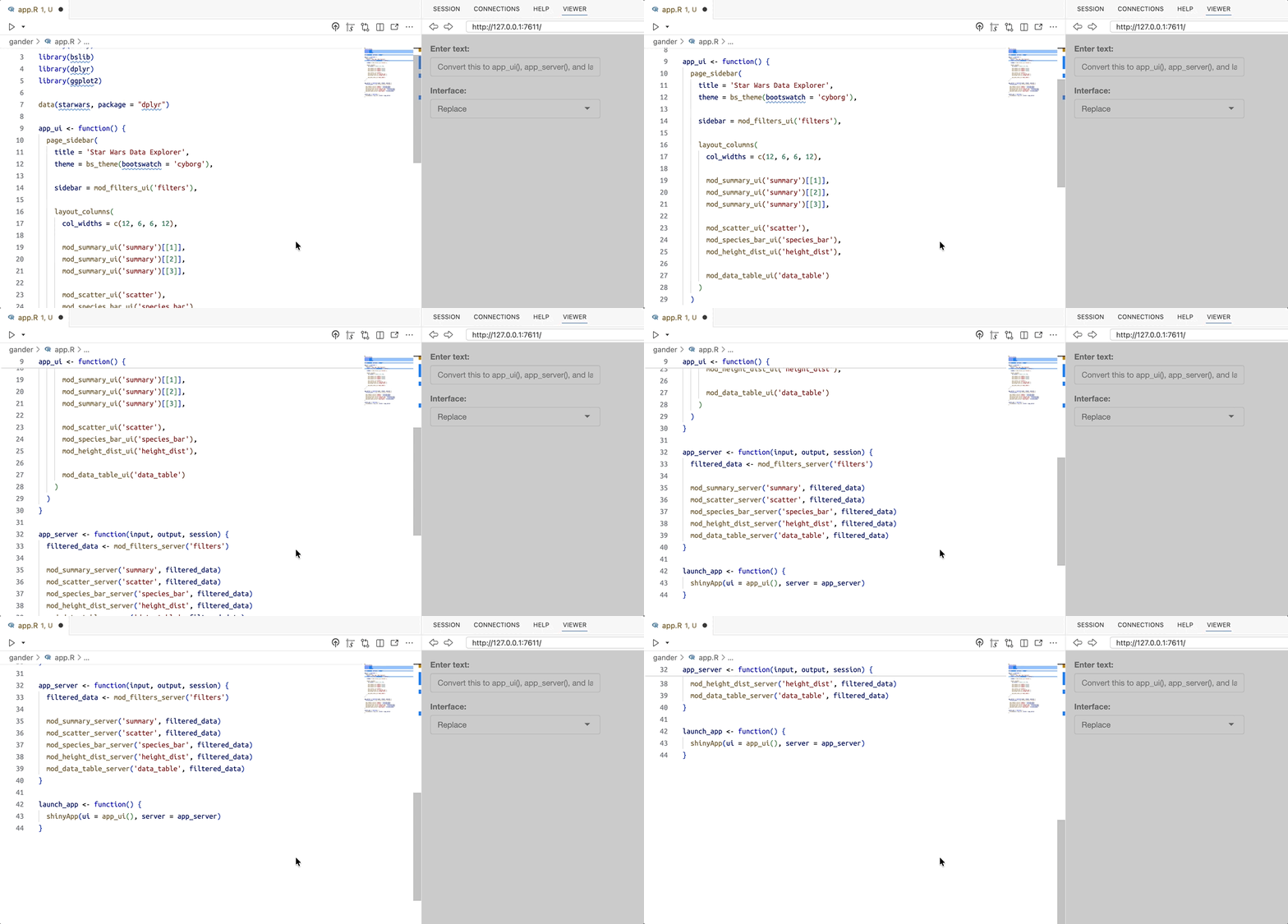

gander context


View the background/context passed to the model using gander_peek()


gander::gander_peek()
# <Chat Anthropic/claude-sonnet-4-5-20250929 turns=3 input=570 output=383 cost=$0.01>


This returns the model, turns, tokens and cost.

gander context: system


The system portion provides the system prompt sent to the model, ‘shaping its responses to your needs.’1


── system ───────────────────────────────────────────────────────────────
You are a helpful but terse R data scientist. Respond only with valid R code:
no exposition, no backticks. Always provide a minimal solution and refrain 
from unnecessary additions. Use tidyverse style and, when relevant, tidyverse
packages. For example, when asked to plot something, use ggplot2, or when 
asked to transform data, using dplyr and/or tidyr unless explicitly 
instructed otherwise. 


gander context: user


The user prompt section gives the model information on the R environment, file contents, etc.


── user ──────────────────────────────────────

Now, Convert this to app_ui(), app_server(), 
and launch_app(): 

# Load required libraries
library(shiny)
library(bslib)
library(dplyr)
library(ggplot2)

# Load the starwars dataset
data(starwars, package = "dplyr")

#  UI

gander context: assistant


The assistant is the response from the model (given the system and user prompts)


── assistant [input=570 output=383 cost=$0.01] ──────────────────────────
```r
library(shiny)
library(bslib)
library(dplyr)
library(ggplot2)

data(starwars, package = "dplyr")

app_ui <- function() {
  page_sidebar(
    title = 'Star Wars Data Explorer',

gander demo


View the demo prompts and responses in the GitHub repo.


gander/
├── app_log.txt
├── app.R
├── R
│   ├── app_server.R
│   ├── app_ui.R
│   ├── logr_msg.R
│   ├── mod_data_table.R
│   ├── mod_filters.R
│   ├── mod_height_dist.R
│   ├── mod_scatter.R
│   ├── mod_species_bar.R
│   └── mod_summary.R
└── README.md

2 directories, 12 files

btw


The btw package is fundamentally different than chores and gander because it,


provides a default set of tools to to peruse the documentation of packages you have installed, check out the objects in your global environment, and retrieve metadata about your session and platform.1


btw setup


Set up btw like chores or gander


options(
  btw.client = ellmer::chat_anthropic(
    system_prompt =
    "You are an expert R/Python programmer who loves explaining
     complex topics to non-technical audiences. 
    - When writing R code, use base R functions, but follow the
      tidyverse style guide.     
    - Avoid using `for` loops and prefer functional programming 
      patterns like `apply()` or `purrr`.    
    - When creating graphs/plots, use `ggplot2`. 
    - If writing R Shiny code, use `bslib` for all layout 
      functions (unless explicitly  instructed otherwise).
    - If writing Python Shiny code, use shiny core (not express)
      to build apps and include explanations in comments. ",
    model = "claude-sonnet-4-5-20250929"
    )
)

btw context files


btw also provides the use_btw_md() function, which creates a project ‘context file.’


use_btw_md(scope = "project")


The btw.md file comes with some default content for project context:


Use btw.md to inform the LLM of your preferred code style, to provide domain-specific terminology or definitions, to establish project documentation, goals and constraints, to include reference materials such or technical specifications, or more.

btw chat


Use btw to work interactively by creating a btw-enhanced chat client and passing messages directly:


chat <- btw_client()
chat
# System and Session Context

Please account for the following R session and system 
settings in all responses.

<system_info>
R_VERSION: R version 4.5.1 (2025-06-13)
OS: macOS Tahoe 26.1
SYSTEM: x86_64, darwin20
UI: Positron (a VS Code equivalent)
LANGUAGE: (EN)
LOCALE: en_US.UTF-8
ENCODING: en_US.UTF-8
TIMEZONE: America/Phoenix
DATE: Thursday, December  4, 2025 (2025-12-04)
</system_info>

btw tools

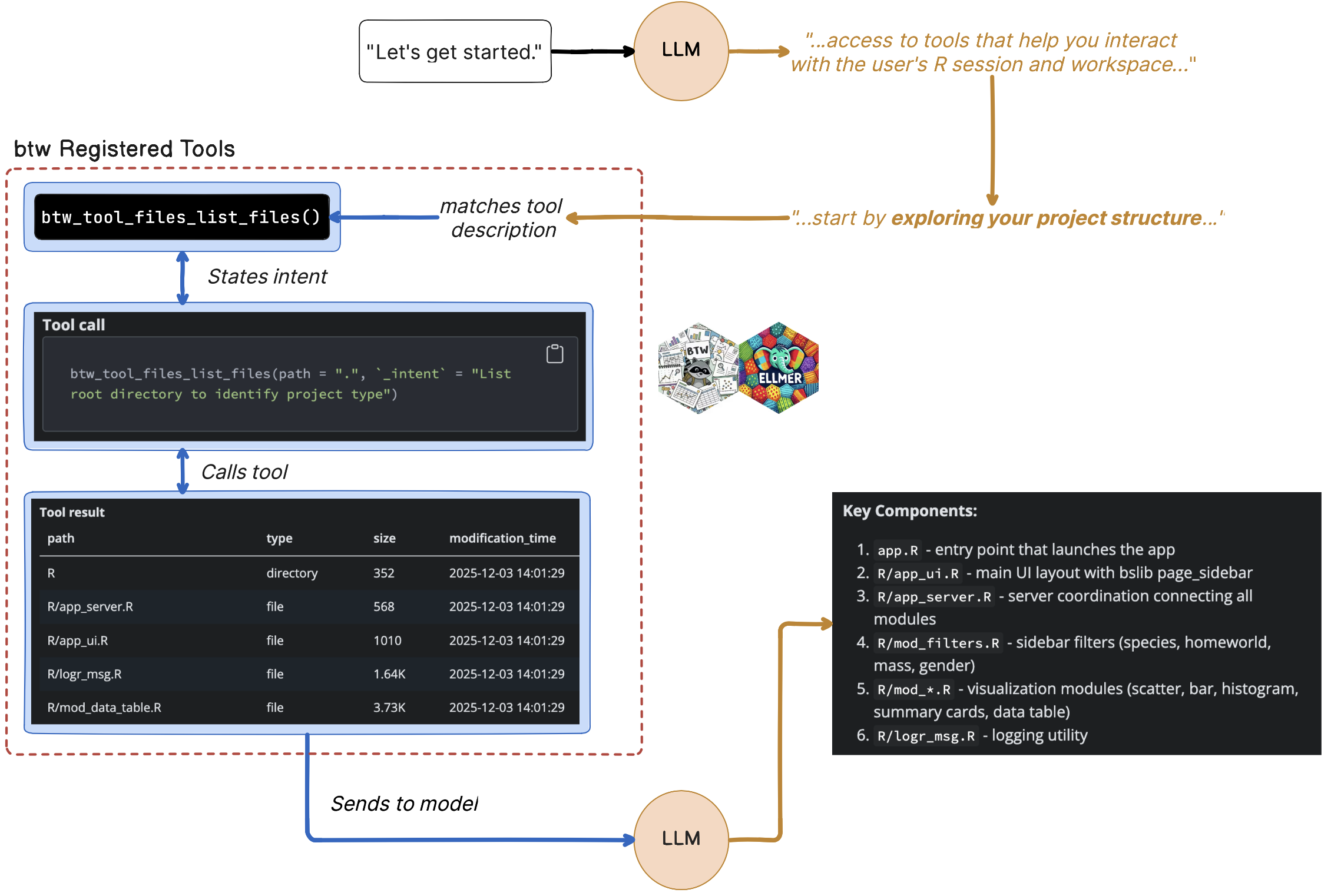
btw includes registered tools the model can use to explore the R session and environment


# Tools

You have access to tools that help you interact with the user's R session
and workspace. Use these tools when they are helpful and appropriate to 
complete the user's request. These tools are available to augment your 
ability to help the user, but you are smart and capable and can answer 
many things on your own. It is okay to answer the user without relying on
these tools.


View all registered tools with:


chat$get_tools()

btw project context

btw also includes a project context in the system prompt:


# Project Context

Follow these important style rules when writing R code:

* Prefer solutions that use {tidyverse}
* Always use `<-` for assignment
* Always use the native base-R pipe `|>` for piped expressions

btw tool calls


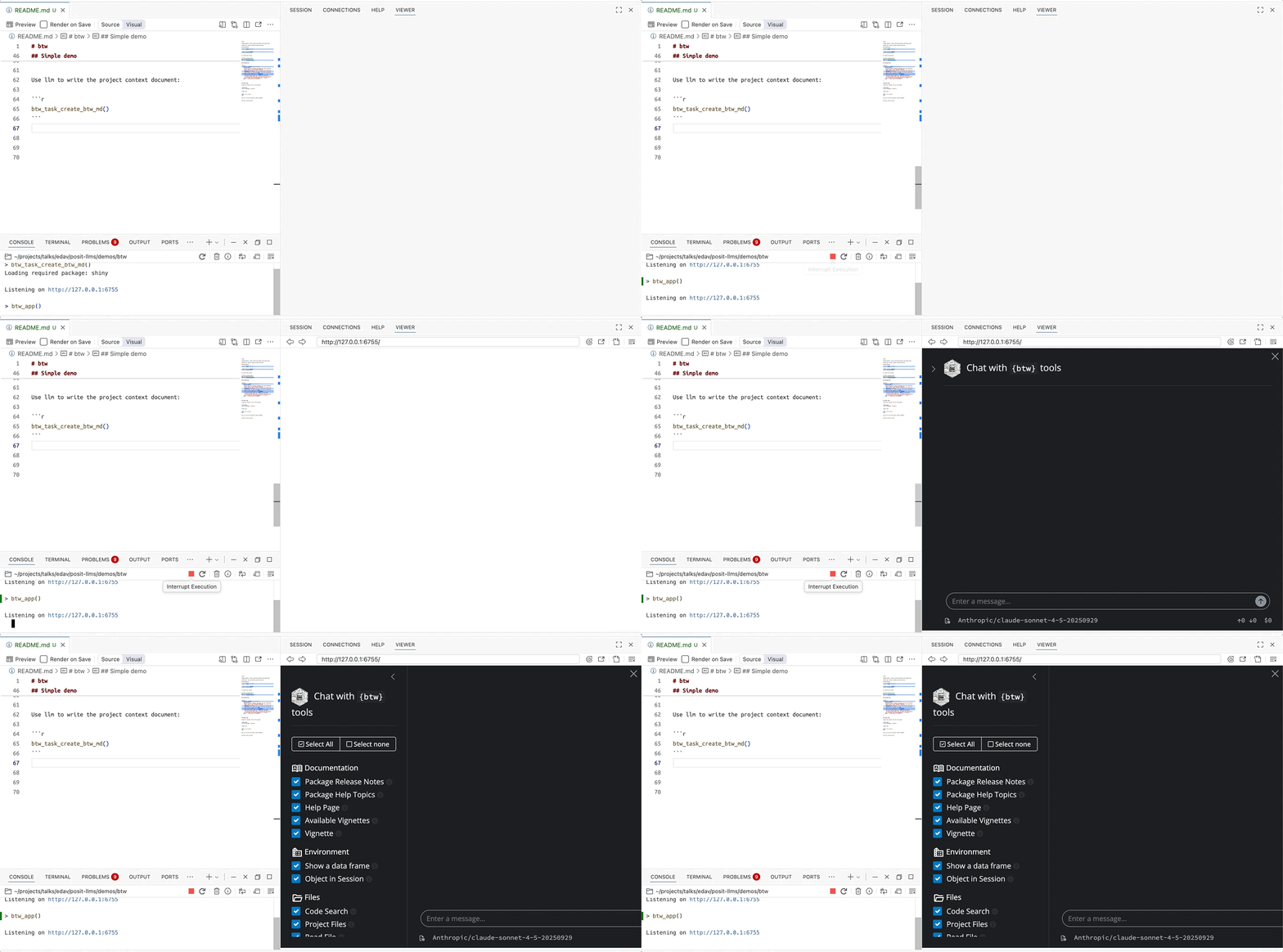
The btw_task_create_btw_md() function opens a Shiny app in the Viewer to guide users through developing their btw.md file.
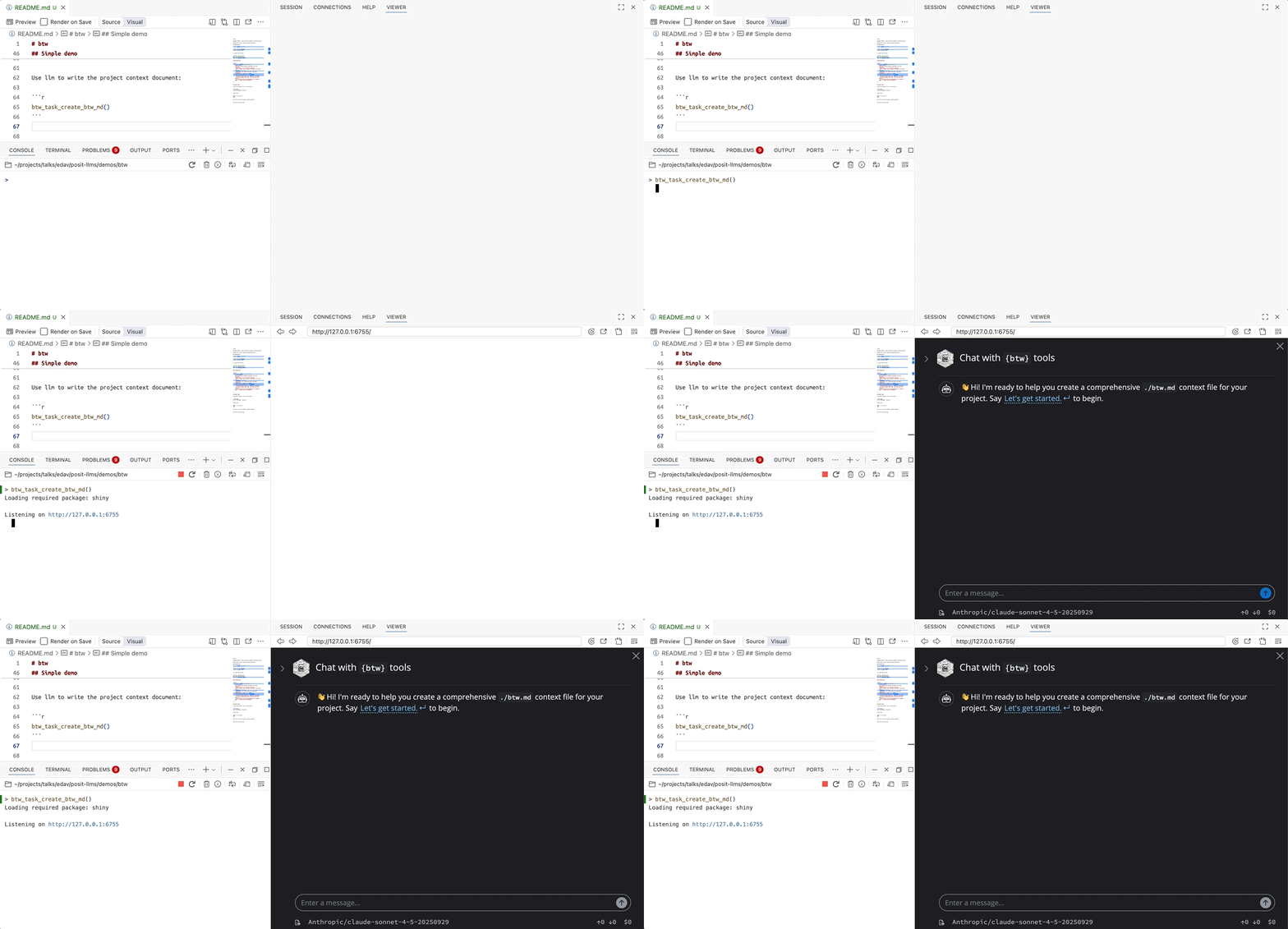
btw tool calls


The context file starts by ‘exploring your project structure to understand what we're working with’, which aligns with the description for the btw_tool_files_list_files() tool:


btw_tool_files_list_files(path = ".", 
  `_intent` = "List root directory to identify project type")

btw tool results


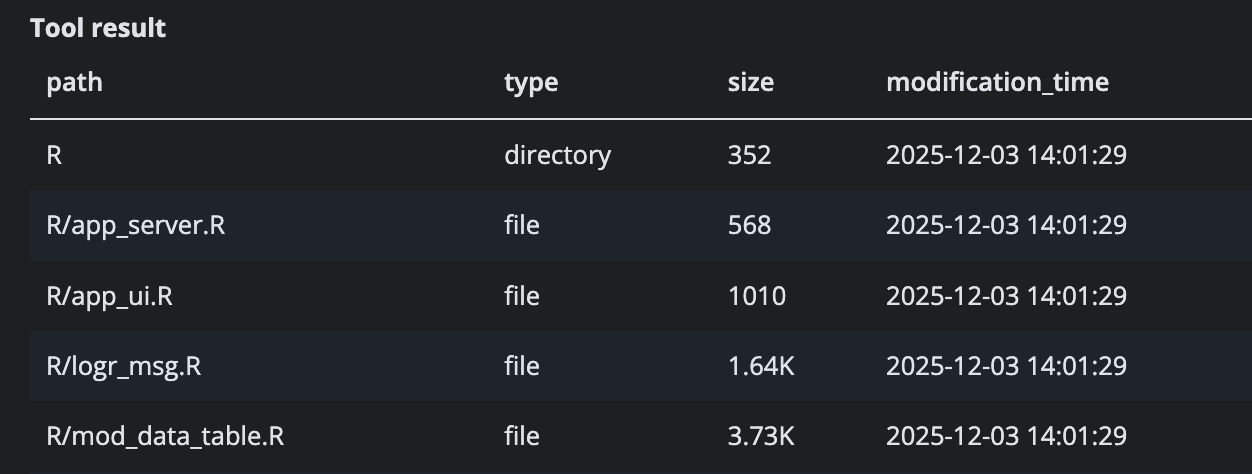
This returns a markdown formatted table of the project contents (file/folder names, their size, and when they were last changed).

btw model response


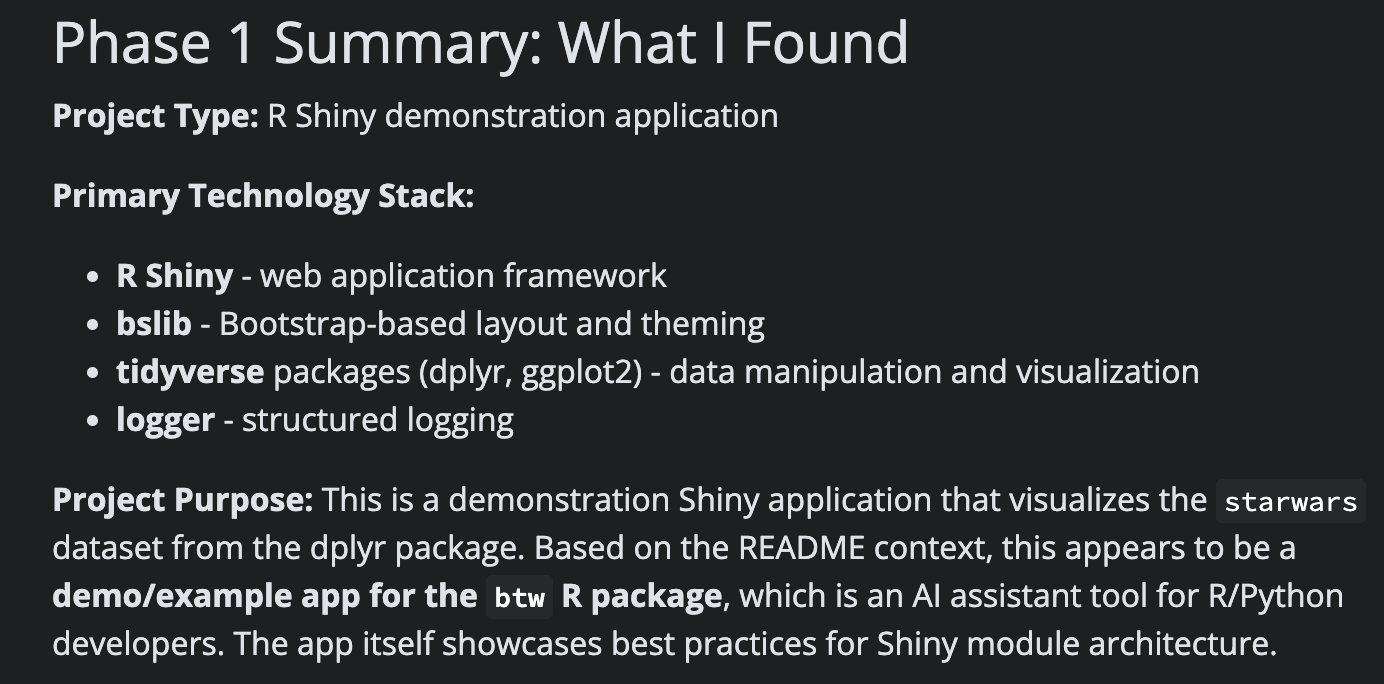
The tool outputs are sent to the LLM, which then provides a summary of the contents:
btw model response


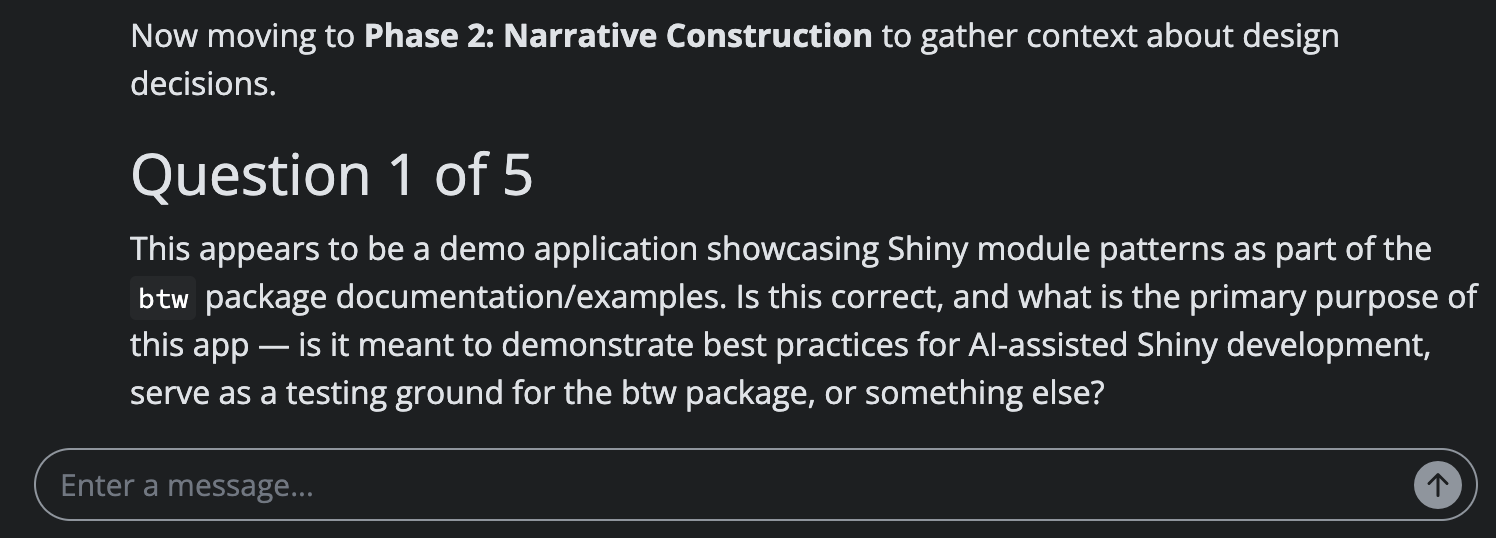
btw asks a series of questions to ensure it understands the project context properly:
btw tool calling

btw app

IDE tools

Positron assistant


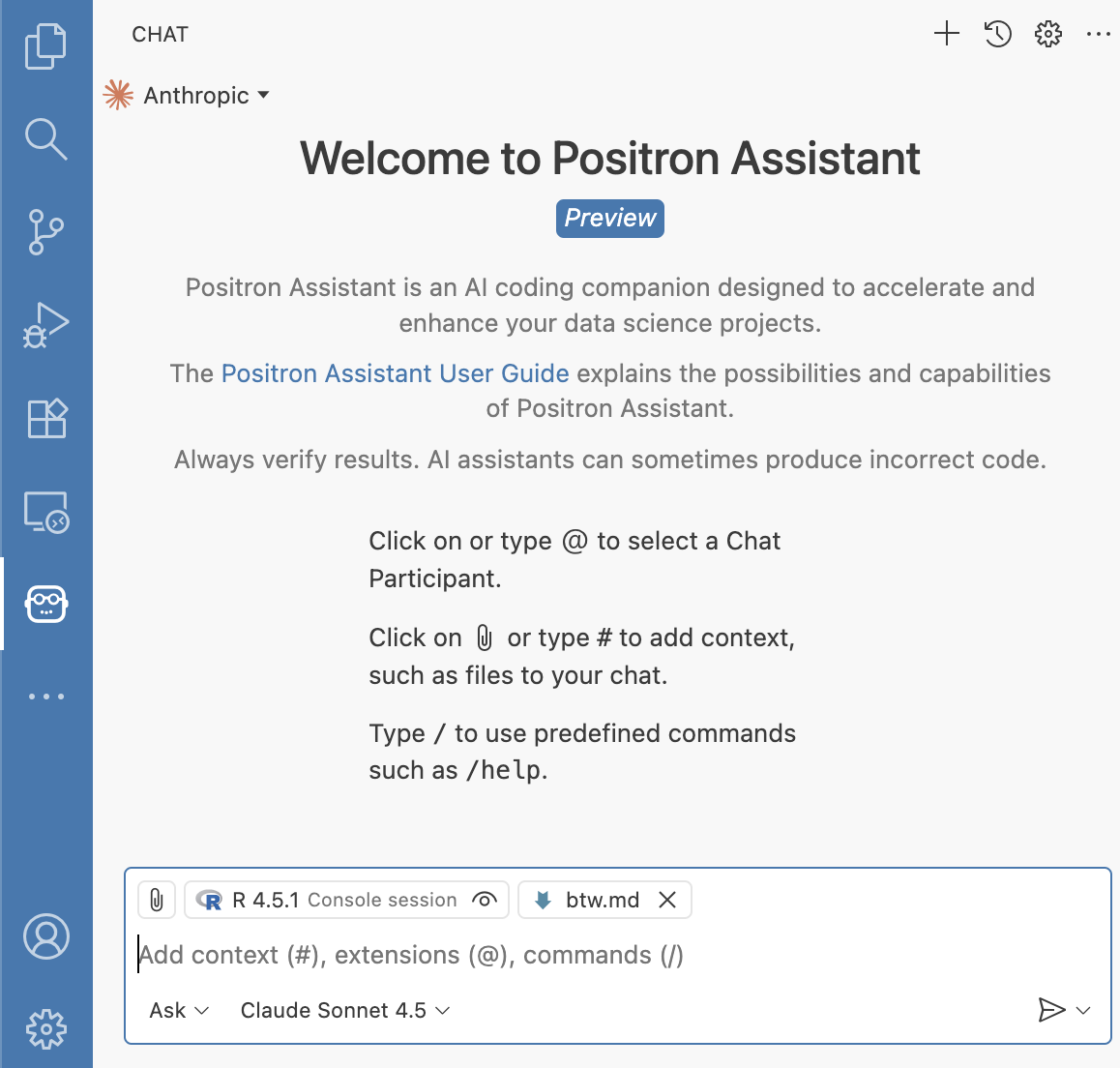
Positron Assistant is an


AI client that provides LLM integration within Positron, both for chat and for inline completions.”


Works with Anthropic for chat, GitHub Copilot for inline code completions, and GitHub Copilot for chat.

Positron assistant demo

Follow the instructions for enabling and configuring Positron Assistant.
Databot


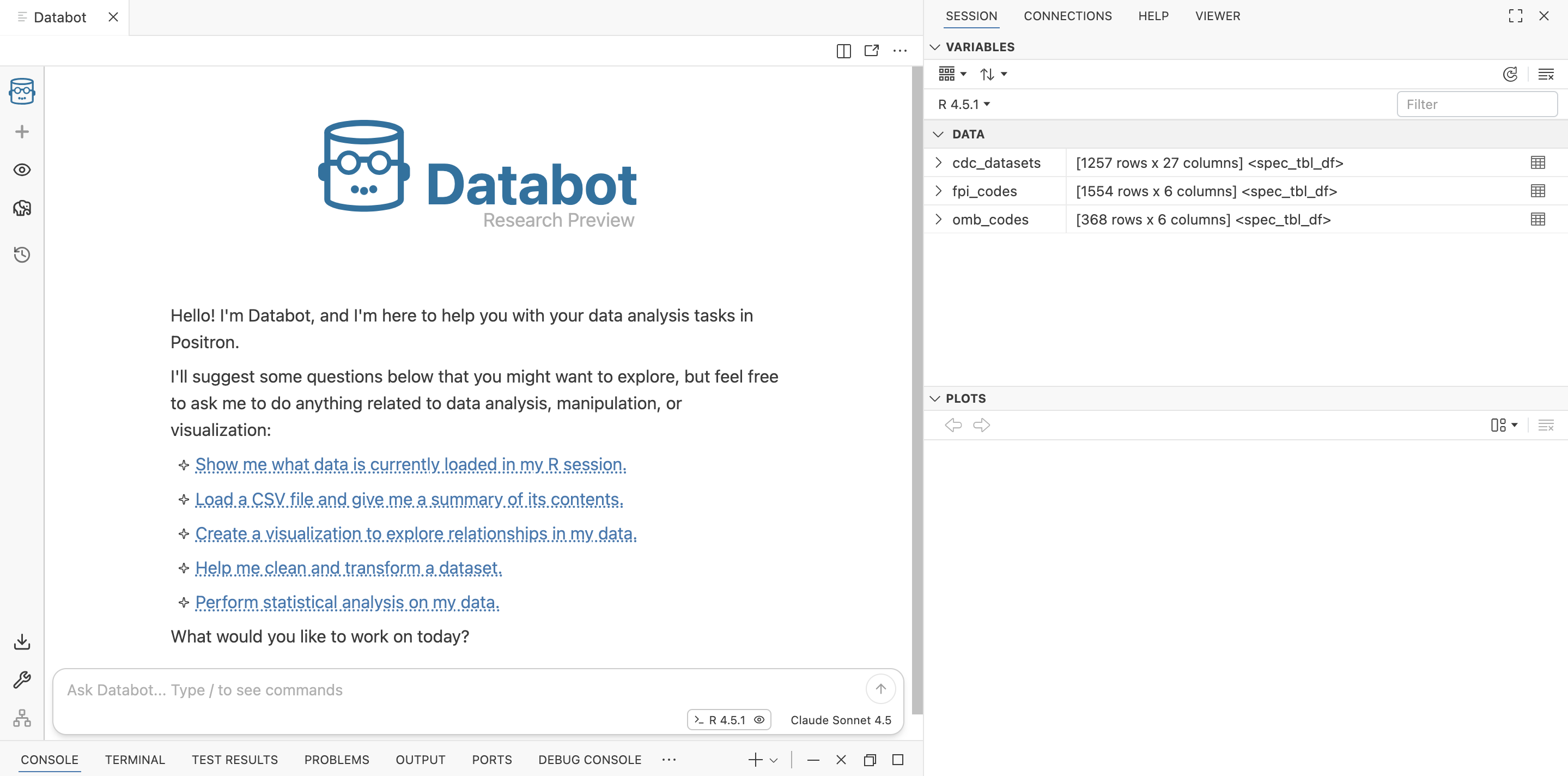
Databot is,


an AI assistant designed to dramatically accelerate exploratory data analysis for data scientists fluent in Python or R, allowing them to do in minutes what might usually take hours. It’s a complement to the data scientist, not a replacement.

Databot demo

Follow the instructions for installing and enabling Databot.
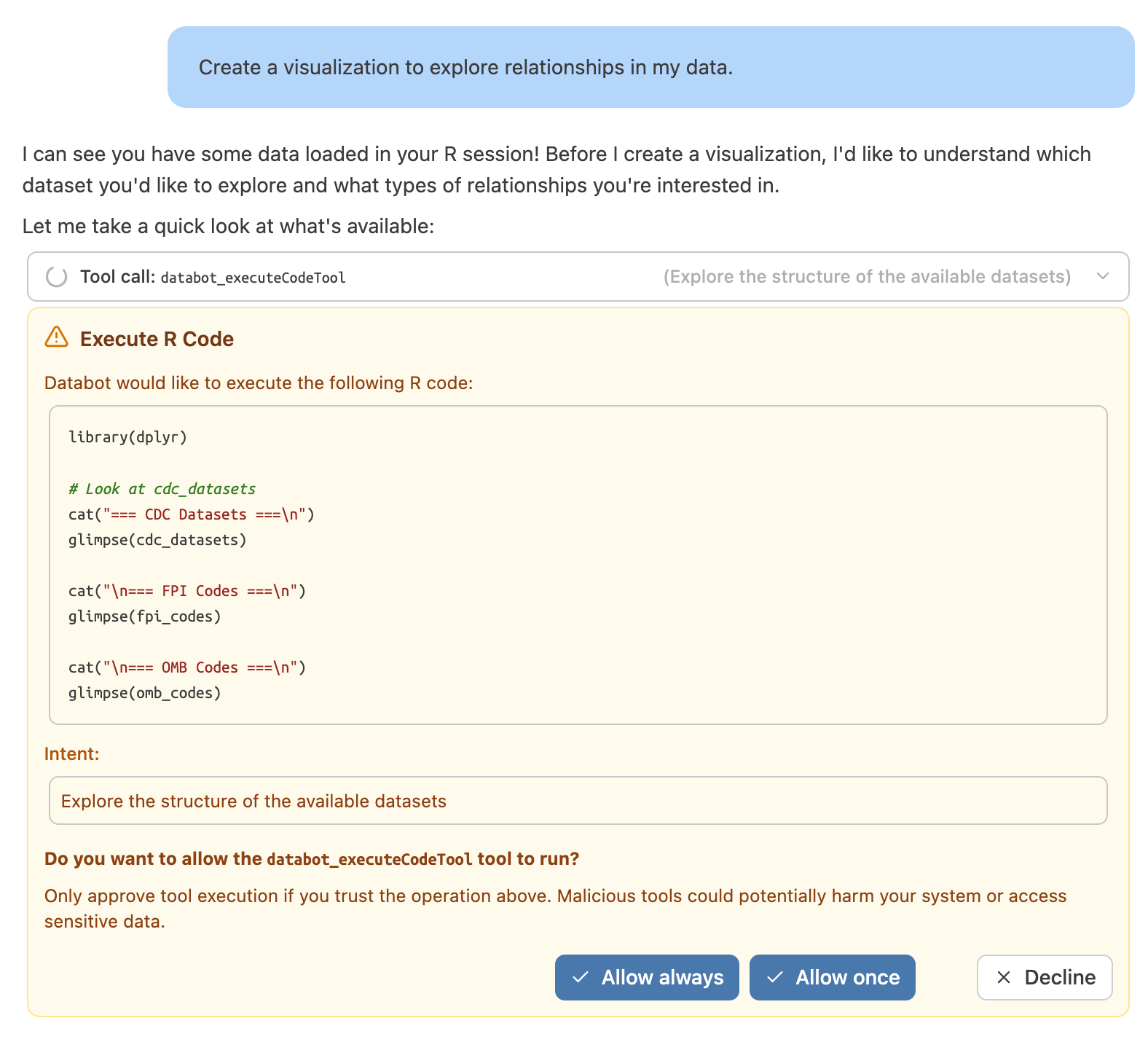
Databot demo

Databot will guide you through data exploration after allowing the tools to run on your machine.
Summary

Web Tools

  • Shiny Assistant
    • Browser-based tool
    • Great for UI layouts
    • Model specification
  • R Packages
    • ellmer
      • Foundation for connecting R to LLMs
    • chores
      • Automate repetitive tasks
    • gander
      • Provide additional context to LLM models
    • btw
      • Register and use tools for exploring session and environment
  • IDE Tools
    • Positron Assistant
      • Copilot-flavored LLM assistant in the IDE
    • Databot
      • Interactive tool for exploring data (use with caution)