echo $XDG_CURRENT_DESKTOPI recently purchased a System76 laptop, which comes with Pop!_OS, an Ubuntu-flavored operating system. This post covers installing R, Python, and Quarto and setting up RStudio and Positron.
The COSMIC Desktop Environment
Pop!_OS features the COSMIC (it previous used GNOME), a fully custom Rust-based desktop environment. As mentioned previously, COSMIC is built on Ubuntu, meaning it uses the same package ecosystem (i.e., .deb files and apt package manager).
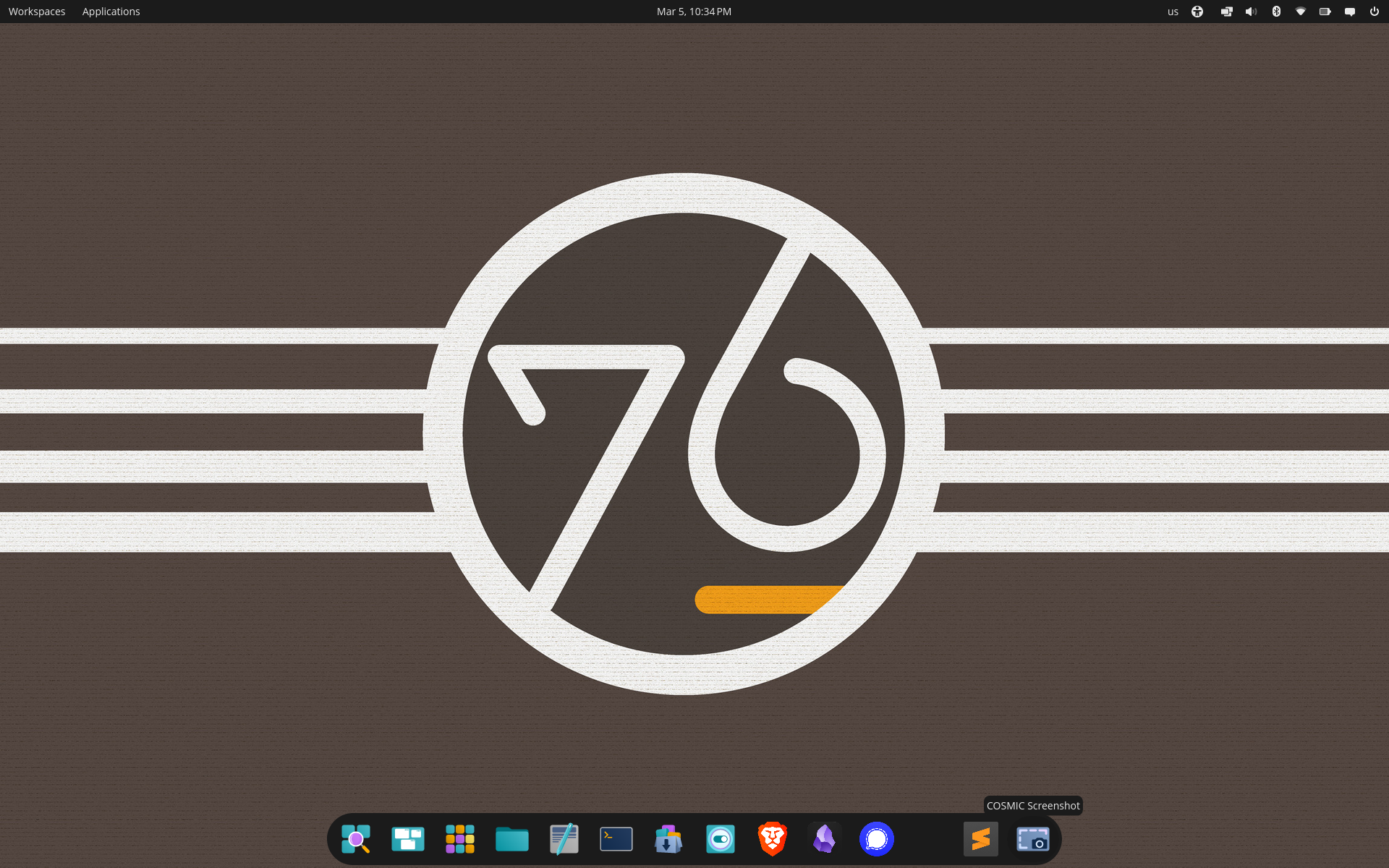
Read more about the OS on the System76 website
The COSMIC Terminal
Pop!_OS ships with the COSMIC Terminal, which is also written entirely in Rust.
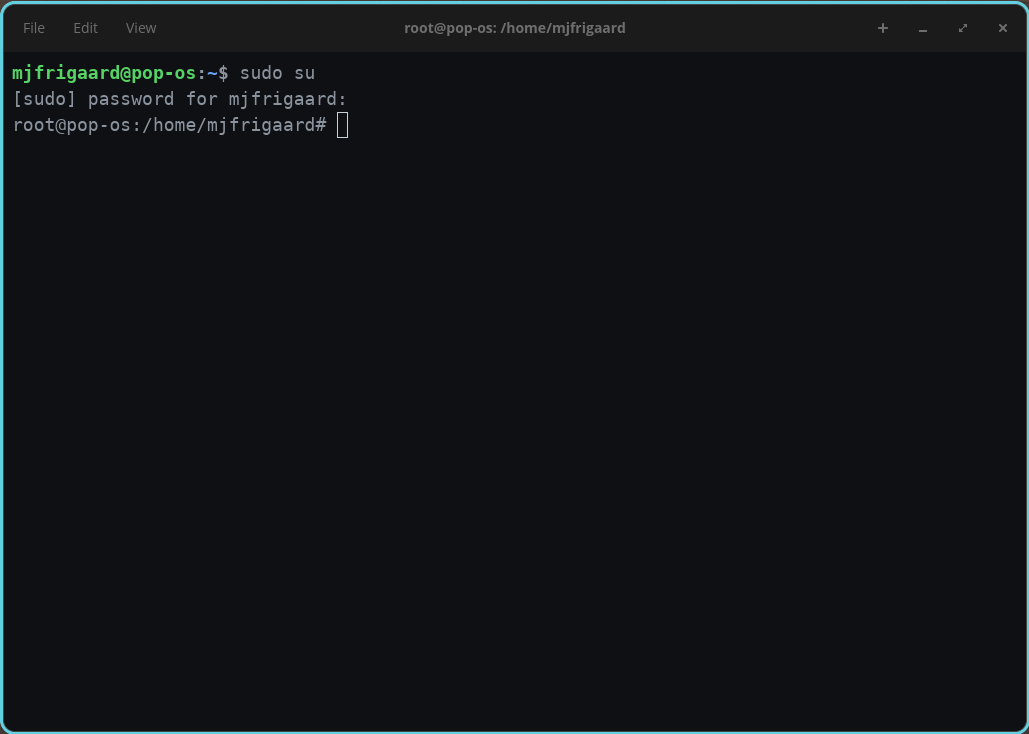
Using any flavor of Ubuntu typically means getting comfortable using the Terminal, and we can start by confirming the $XDG_CURRENT_DESKTOP:
COSMICPop!_OS uses Ubuntu 24, which you can discover using:
cat /etc/os-releaseNAME="Pop!_OS"
VERSION="24.04 LTS"
ID=pop
ID_LIKE="ubuntu debian"
PRETTY_NAME="Pop!_OS 24.04 LTS"
VERSION_ID="24.04"
HOME_URL="https://pop.system76.com"
SUPPORT_URL="https://support.system76.com"
BUG_REPORT_URL="https://github.com/pop-os/pop/issues"
PRIVACY_POLICY_URL="https://system76.com/privacy"
VERSION_CODENAME=noble
UBUNTU_CODENAME=noble
LOGO=distributor-logo-pop-osThe COSMIC Desktop Environment is still in active development, but we can check the current installed version with:
cosmic-term --versioncosmic-term 1.0.8Below I’ll cover installing and configuring R, Python, and Quarto. Most of these instructions can be found from Posit,1 but I’ve included additional details here (and any deviations from the official documentation).
R
I installed R following the Ubuntu instructions from CRAN.
First we refresh the list of available packages from all apt configured repos:
apt update -qqThe -qq (“quiet” mode) flag suppresses most of the output.
3 packages can be upgraded. Run 'apt list --upgradable' to see them.Next we install prerequisite tools:
apt install --no-install-recommends software-properties-common dirmngr--no-install-recommendsonly installs the required dependencies.dirmngrhandles secure key management for verifying package signatures in the following step.
Reading package lists... Done
Building dependency tree... Done
Reading state information... Done
software-properties-common is already the newest version (0.99.49.4).
dirmngr is already the newest version (2.4.4-2ubuntu17.4).
The following packages were automatically installed and are no longer required:
libframe6 libgeis1 libgrail6 libllvm19 libqt5x11extras5 libqt5xml5t64 touchegg
Use 'sudo apt autoremove' to remove them.
0 upgraded, 0 newly installed, 0 to remove and 3 not upgraded.The commands below will download and store CRAN’s cryptographic public key (the comments give instructions for verification).
# add the signing key (by Michael Rutter) for these repos
# To verify key, run gpg --show-keys /etc/apt/trusted.gpg.d/cran_ubuntu_key.asc
# Fingerprint: E298A3A825C0D65DFD57CBB651716619E084DAB9wget -qO- https://cloud.r-project.org/bin/linux/ubuntu/marutter_pubkey.asc | tee -a /etc/apt/trusted.gpg.d/cran_ubuntu_key.ascThe signing key allows apt to verify R packages we download from CRAN are authentic.
You’ll see the PGP key in the Terminal:
-----BEGIN PGP PUBLIC KEY BLOCK-----
... key ...
-----END PGP PUBLIC KEY BLOCK-----Next we add CRAN’s R 4.0+ repo to the system’s package sources with add-apt-repository.
add-apt-repository "deb https://cloud.r-project.org/bin/linux/ubuntu $(lsb_release -cs)-cran40/"Finally, we install R from the CRAN repo we added in the step above.
sudo apt install --no-install-recommends r-baseWe use the --no-install-recommends flag again to keep the dependencies lean
Check R version
R --versionR version 4.5.2 (2025-10-31) -- "[Not] Part in a Rumble"
Copyright (C) 2025 The R Foundation for Statistical Computing
Platform: x86_64-pc-linux-gnu
R is free software and comes with ABSOLUTELY NO WARRANTY.
You are welcome to redistribute it under the terms of the
GNU General Public License versions 2 or 3.
For more information about these matters see
https://www.gnu.org/licenses/.Python
Below is an adaptation of the installation instructions from Posit (using uv). Pop!_OS comes with Python installed at the system level, and we’ll want this sepatated from the uv installations (more about this below).
Start by installing the uv installer scrip.
curl -LsSf https://astral.sh/uv/install.sh | sh - The four
curlflags are used to:-L: follow redirect-s: silent mode-S: show error (if they occur)-f: fail on server errors
The output is below:
downloading uv 0.10.8 x86_64-unknown-linux-gnu
no checksums to verify
installing to /root/.local/bin
uv
uvx
everything's installed!
To add $HOME/.local/bin to your PATH, either restart your shell or run:
source $HOME/.local/bin/env (sh, bash, zsh)
source $HOME/.local/bin/env.fish (fish)The output confirms uv and uvx (a tool runner) are installed to /root/.local/bin.
The commands below will reload the shell configuration, which adds the installed location of uv (/root/.local/bin) to our PATH, making it accessible as a command.
source ~/.bashrc We can confirm it with:
uv --version uv 0.10.8Now we can use uv to install Python 3.12.4, which manages its own Python installations independently of the system Python.
uv python install 3.12.4List the installed Python versions:
uv python list --only-installedcpython-3.12.4-linux-x86_64-gnu /root/.local/bin/python3.12 -> /root/.local/share/uv/python/cpython-3.12.4-linux-x86_64-gnu/bin/python3.12
cpython-3.12.4-linux-x86_64-gnu /root/.local/share/uv/python/cpython-3.12-linux-x86_64-gnu/bin/python3.12
cpython-3.12.3-linux-x86_64-gnu /usr/bin/python3.12
cpython-3.12.3-linux-x86_64-gnu /usr/bin/python3 -> python3.12To locate the Python 3.12.4 binary (in case we need to explicitly point tools or virtual environments to a specific Python version), we can use:
uv python find 3.12.4/root/.local/share/uv/python/cpython-3.12.4-linux-x86_64-gnu/bin/python3.12Quarto
Installing Quarto (and getting it configured) required quite a few steps. Consult the documentation for more information.
Start by downloading the latest Quarto .deb package from the Quarto releases page.
Install the .deb with:
# change to Downloads folder with
# cd Downloads
sudo dpkg -i quarto-*.debSelecting previously unselected package quarto.
(Reading database ... 263906 files and directories currently installed.)
Preparing to unpack quarto-1.9.30-linux-amd64.deb ...
Unpacking quarto (1.9.30) ...
Setting up quarto (1.9.30) ...Initial check
Having already installed R and Python, we will run quarto check on the initial installation:
quarto checkshow/hide initial check
Quarto 1.9.30
[✓] Checking environment information...
Quarto cache location: /root/.cache/quarto
[✓] Checking versions of quarto binary dependencies...
Pandoc version 3.8.3: OK
Dart Sass version 1.87.0: OK
Deno version 2.4.5: OK
Typst version 0.14.2: OK
[✓] Checking versions of quarto dependencies......OK
[✓] Checking Quarto installation......OK
Version: 1.9.30
Path: /opt/quarto/bin
[✓] Checking tools....................OK
TinyTeX: (not installed)
Chromium: (not installed)
Chrome Headless Shell: (not installed)
VeraPDF: (not installed)
[✓] Checking LaTeX....................OK
Tex: (not detected)
[✓] Checking Chrome Headless....................OK
Chrome: (not detected)
[✓] Checking basic markdown render....OK
[✓] Checking R installation...........OK
Version: 4.5.2
Path: /usr/lib/R
LibPaths:
- /usr/local/lib/R/site-library
- /usr/lib/R/site-library
- /usr/lib/R/library
knitr: (None)
rmarkdown: (None)
The knitr package is not available in this R installation.
Install with install.packages("knitr")
The rmarkdown package is not available in this R installation.
Install with install.packages("rmarkdown")
[✓] Checking Python 3 installation....OK
Version: 3.12.3
Path: /usr/bin/python3
Jupyter: (None)
Jupyter is not available in this Python installation.
Install with python3 -m pip install jupyter
[✓] Checking Julia installation...We can see there are a few items to address.
- All the tools are missing (TinyTeX, Chromium, Chrome Headless Shell, and VeraPDF)
- LaTeX/Tex is not detected
- Chrome Headless/Chrome is not detected
- The R installation is missing knitr and rmarkdown
- The Python 3 installation is missing Jupyter
Fortunately Quarto has commands for installing these dependencies directly. The tools section lists four missing dependencies:
TinyTeX: (not installed)
Chromium: (not installed)
Chrome Headless Shell: (not installed)
VeraPDF: (not installed)TinyTex
We will address the TinyTex installation first with quarto:
quarto install tinytexInstalling tinytex
[✓] Downloading TinyTex v2026.03.02
[✓] Unzipping TinyTeX-v2026.03.02.tar.gz
[✓] Moving files
[✓] Verifying tlgpg support
[✓] Configuring font paths
[✓] Default Repository: https://mirrors.ibiblio.org/pub/mirrors/CTAN/systems/texlive/tlnet/
Installation successfulChromium
Quarto also has a command for installing Chromium:
quarto install chromiumInstalling chromium
[✓] Downloading Chromium 869685
[✓] Installing Chromium 869685
Installation successfulWe’ll address the Chrome Headless Shell and VeraPDF below.
knitr and rmarkdown
The R installation lists the knitr and rmarkdown packages as missing:
knitr: (None)
rmarkdown: (None)We can install these from the COSMIC Terminal by launching R:
RInstall the packages as you would in RStudio or Positron:
install.packages(c("knitr", "rmarkdown"))Exit R:
quit()These are now installed at the system-level.
Python 3
The Python 3 installation is fine, but Quarto is currently detecting the system Python (/usr/bin/python3). We want to create a dedicated virtual environment for Quarto’s Jupyter dependency.
Use uv to create a dedicated virtual environment for Quarto:
uv venv ~/.quarto-venv --python 3.12.4Using CPython 3.12.4
Creating virtual environment at: /root/.quarto-venv
Activate with: source /root/.quarto-venv/bin/activateActivate the virtual environment:
This changes the Terminal from…
root@pop-os:/#to…
(.quarto-venv) root@pop-os:/#source ~/.quarto-venv/bin/activateInstall Jupyter into the virtual environment using uv and pip:
uv pip install jupytershow/hide jupyter installation
Using Python 3.12.4 environment at: /root/.quarto-venv
Resolved 97 packages in 587ms
Prepared 97 packages in 767ms
Installed 97 packages in 45ms
+ anyio==4.12.1
+ argon2-cffi==25.1.0
+ argon2-cffi-bindings==25.1.0
+ arrow==1.4.0
+ asttokens==3.0.1
+ async-lru==2.2.0
+ attrs==25.4.0
+ babel==2.18.0
+ beautifulsoup4==4.14.3
+ bleach==6.3.0
+ certifi==2026.2.25
+ cffi==2.0.0
+ charset-normalizer==3.4.5
+ comm==0.2.3
+ debugpy==1.8.20
+ decorator==5.2.1
+ defusedxml==0.7.1
+ executing==2.2.1
+ fastjsonschema==2.21.2
+ fqdn==1.5.1
+ h11==0.16.0
+ httpcore==1.0.9
+ httpx==0.28.1
+ idna==3.11
+ ipykernel==7.2.0
+ ipython==9.11.0
+ ipython-pygments-lexers==1.1.1
+ ipywidgets==8.1.8
+ isoduration==20.11.0
+ jedi==0.19.2
+ jinja2==3.1.6
+ json5==0.13.0
+ jsonpointer==3.0.0
+ jsonschema==4.26.0
+ jsonschema-specifications==2025.9.1
+ jupyter==1.1.1
+ jupyter-client==8.8.0
+ jupyter-console==6.6.3
+ jupyter-core==5.9.1
+ jupyter-events==0.12.0
+ jupyter-lsp==2.3.0
+ jupyter-server==2.17.0
+ jupyter-server-terminals==0.5.4
+ jupyterlab==4.5.5
+ jupyterlab-pygments==0.3.0
+ jupyterlab-server==2.28.0
+ jupyterlab-widgets==3.0.16
+ lark==1.3.1
+ markupsafe==3.0.3
+ matplotlib-inline==0.2.1
+ mistune==3.2.0
+ nbclient==0.10.4
+ nbconvert==7.17.0
+ nbformat==5.10.4
+ nest-asyncio==1.6.0
+ notebook==7.5.4
+ notebook-shim==0.2.4
+ packaging==26.0
+ pandocfilters==1.5.1
+ parso==0.8.6
+ pexpect==4.9.0
+ platformdirs==4.9.4
+ prometheus-client==0.24.1
+ prompt-toolkit==3.0.52
+ psutil==7.2.2
+ ptyprocess==0.7.0
+ pure-eval==0.2.3
+ pycparser==3.0
+ pygments==2.19.2
+ python-dateutil==2.9.0.post0
+ python-json-logger==4.0.0
+ pyyaml==6.0.3
+ pyzmq==27.1.0
+ referencing==0.37.0
+ requests==2.32.5
+ rfc3339-validator==0.1.4
+ rfc3986-validator==0.1.1
+ rfc3987-syntax==1.1.0
+ rpds-py==0.30.0
+ send2trash==2.1.0
+ setuptools==82.0.0
+ six==1.17.0
+ soupsieve==2.8.3
+ stack-data==0.6.3
+ terminado==0.18.1
+ tinycss2==1.4.0
+ tornado==6.5.4
+ traitlets==5.14.3
+ typing-extensions==4.15.0
+ tzdata==2025.3
+ uri-template==1.3.0
+ urllib3==2.6.3
+ wcwidth==0.6.0
+ webcolors==25.10.0
+ webencodings==0.5.1
+ websocket-client==1.9.0
+ widgetsnbextension==4.0.15Finally, we need to tell Quarto to use the virtual environment’s Python, which can do by setting the QUARTO_PYTHON environment variable to point to the uv-managed environment’s Python:
echo 'export QUARTO_PYTHON=~/.quarto-venv/bin/python' >> ~/.bashrcReload the shell configuration:
source ~/.bashrcThis will change the Terminal back to…
root@pop-os:/#Re-check
Now we will re-check the Quarto dependencies:
quarto checkshow/hide quarto re-check
Quarto 1.9.30
[✓] Checking environment information...
Quarto cache location: /root/.cache/quarto
[✓] Checking versions of quarto binary dependencies...
Pandoc version 3.8.3: OK
Dart Sass version 1.87.0: OK
Deno version 2.4.5: OK
Typst version 0.14.2: OK
[✓] Checking versions of quarto dependencies......OK
[✓] Checking Quarto installation......OK
Version: 1.9.30
Path: /opt/quarto/bin
[✓] Checking tools....................OK
TinyTeX: v2026.03.02
Chromium: 869685
Chrome Headless Shell: (not installed)
VeraPDF: (not installed)
[✓] Checking LaTeX....................OK
Using: TinyTex
Path: /root/.TinyTeX/bin/x86_64-linux
Version: 2026
[✓] Checking Chrome Headless....................OK
Using: Chromium installed by Quarto
Version: 869685
[✓] Checking basic markdown render....OK
[✓] Checking R installation...........OK
Version: 4.5.2
Path: /usr/lib/R
LibPaths:
- /usr/local/lib/R/site-library
- /usr/lib/R/site-library
- /usr/lib/R/library
knitr: 1.51
rmarkdown: 2.30
[✓] Checking Knitr engine render......OK
[✓] Checking Python 3 installation....OK
Version: 3.12.4
Path: /root/.quarto-venv/bin/python
Jupyter: 5.9.1
Kernels: python3
[✓] Checking Jupyter engine render....OK
[✓] Checking Julia installation...This output was a little confusing:
The
Checking Chrome Headlessoutput confirms that Quarto was successfully installed using Chromium (Using: Chromium installed by Quarto), but the(not installed)line for theChrome Headless Shellsection refers to a separate standalone Chrome Headless Shell binary.VeraPDFis a the PDF/A validation tool used for accessibility compliance checking.
Both of these can be installed with the quarto install utility as of version 1.9.30
Chrome headless shell
quarto install chrome-headless-shellInstalling chrome-headless-shell
[✓] Downloading Chrome Headless Shell
Installation successfulVeraPDF
The VeraPDF installation requires Java:
quarto install verapdfInstalling verapdf
Java is not installed. veraPDF requires Java 8 or later.I installed the Java Runtime Environment (default-jre) to run Java applications like VeraPDF. On Ubuntu/Pop!_OS 24.04, this will install OpenJDK 21, which exceeds VeraPDF’s minimum requirement of Java 8.
apt install default-jreNow re-install verapdf:
quarto install verapdfInstalling verapdf
[✓] Downloading VeraPDF 1.28.2
[✓] Extracting verapdf-greenfield-1.28.2-installer.zip
[✓] Installing veraPDF
Installation successfulFinal check
The final check should pass for all dependencies:
quarto checkshow/hide quarto final check
Quarto 1.9.30
[✓] Checking environment information...
Quarto cache location: /root/.cache/quarto
[✓] Checking versions of quarto binary dependencies...
Pandoc version 3.8.3: OK
Dart Sass version 1.87.0: OK
Deno version 2.4.5: OK
Typst version 0.14.2: OK
[✓] Checking versions of quarto dependencies......OK
[✓] Checking Quarto installation......OK
Version: 1.9.30
Path: /opt/quarto/bin
[✓] Checking tools....................OK
TinyTeX: v2026.03.02
Chromium: 869685
Chrome Headless Shell: 146.0.7680.66
VeraPDF: 1.28.2
[✓] Checking LaTeX....................OK
Using: TinyTex
Path: /root/.TinyTeX/bin/x86_64-linux
Version: 2026
[✓] Checking Chrome Headless....................OK
Using: Chrome Headless Shell installed by Quarto
Path: /root/.local/share/quarto/chrome-headless-shell/chrome-headless-shell-linux64/chrome-headless-shell
Version: 146.0.7680.66
[✓] Checking basic markdown render....OK
[✓] Checking R installation...........OK
Version: 4.5.2
Path: /usr/lib/R
LibPaths:
- /usr/local/lib/R/site-library
- /usr/lib/R/site-library
- /usr/lib/R/library
knitr: 1.51
rmarkdown: 2.30
[✓] Checking Knitr engine render......OK
[✓] Checking Python 3 installation....OK
Version: 3.12.4
Path: /root/.quarto-venv/bin/python
Jupyter: 5.9.1
Kernels: python3
[✓] Checking Jupyter engine render....OK
[✓] Checking Julia installation...Now that we have R, Python, and Quarto installed and configured, I’ll configure Git before downloading RStudio and Positron.
Git
Git should already be installed, but if not, we can install it with apt:
apt install gitReading package lists... Done
Building dependency tree... Done
Reading state information... Done
git is already the newest version (1:2.43.0-1ubuntu7.3).
git set to manually installed.Configure our user.name and user.email:
git config --global user.name "Your Name"git config --global user.email "your.email@example.com"Set default initial branch name to main:
git config --global init.defaultBranch mainConfirm --global configurations:
git config --global --listcredential.helper=cache
user.name=Your Name
user.email=your.email@example.com
init.defaultbranch=mainRStudio
On the Posit website, we can download RStudio for Ubuntu 22 or 24. Or if we want to live dangerously (which I do), we can download the RStudio daily release from the dailies page.
Download the RStudio Desktop for Ubuntu 24 (x86_64).deb file and double-click on it to install RStudio. This will open the COSMIC Store:

After opening RStudio, confirm the version by clicking on Help > About RStudio:

Git Integration in RStudio
We can also configure Git in RStudio and the usethis package:
install.packages("usethis")It’s also possible to configure the Git user.name and user.email with usethis:
usethis::use_git_config(user.name = "Your Name", user.email = "your.email@example.com")I also recommend using usethis::git_vaccinate():
Adds
.Rproj.user,.Rhistory,.Rdata,.httr-oauth,.DS_Store, and.quartoto your global (a.k.a. user-level).gitignore.
usethis::git_vaccinate()✔ Configuring core.excludesFile: ~/.gitignore
✔ Creating the global (user-level) gitignore: ~/.gitignore
✔ Adding ".Rproj.user", ".Rhistory", ".RData", ".httr-oauth", ".DS_Store", and ".quarto" to /home/mjfrigaard/.gitignore.We can check configurations with:
usethis::git_sitrep()You’ll see something like this:
── Git global (user)
• Name: "Your Name"
• Email: "your.email@example.com"
• Global (user-level) gitignore file: ~/.gitignore
• Vaccinated: TRUE
• Default Git protocol: "https"
• Default initial branch name: "main"
── GitHub user
• Default GitHub host: "https://github.com"
• Personal access token for "https://github.com": <unset>
☐ To create a personal access token, call usethis::create_github_token().
☐ To store a token for current and future use, call gitcreds::gitcreds_set().
ℹ Read more in the Managing Git(Hub) Credentials article.
ℹ No active usethis project.Positron
You can download Positron from the website (or download the Preview version). Once again, we can double-click on the Positron-2026.03.0-212-x64.deb file to install Positron:

Git Integration in Positron
Positron has built-in Git support via its Source Control panel (inherited from VS Code). After completing the Git setup steps above, we can click on the red notification to sign into GitHub:

Verify Git is detected by Positron:
git --versiongit version 2.43.0Positron extensions
I’ve installed the following Positron extensions from the Positron extensions marketplace.2 None of these are required, but I’ve found them useful during R package/Shiny app development.3
Shiny - VS Code Extension: Enables running, previewing, and debugging R and Python Shiny applications directly within Positron/VS Code.
Posit Publisher: Deploys and publishes content (Shiny apps, Quarto documents, APIs, etc.) directly to Posit Connect from within the editor.
Quarto - VS Code: Provides syntax highlighting, preview, and rendering support for Quarto (
.qmd) documents.Air - R Language Support: Provides R language support including real-time code formatting based on Posit’s Air R formatter.
Git Graph: Visualizes your Git repository’s branch history and commit tree in an interactive graphical interface.
GitHub Pull Requests: Allows you to create, review, and manage GitHub pull requests and issues directly within the editor.
GitLens extension: Enhances Git integration with inline blame annotations, commit history exploration, and repository insights.
VSCode .env syntax highlighting: Adds syntax highlighting for
.envenvironment variable files.Mermaid: Adds syntax highlighting and live preview support for Mermaid diagrams within markdown and
.mmdfiles.
Publishing
To confirm everything is working correctly, I published this post using RStudio and Positron.
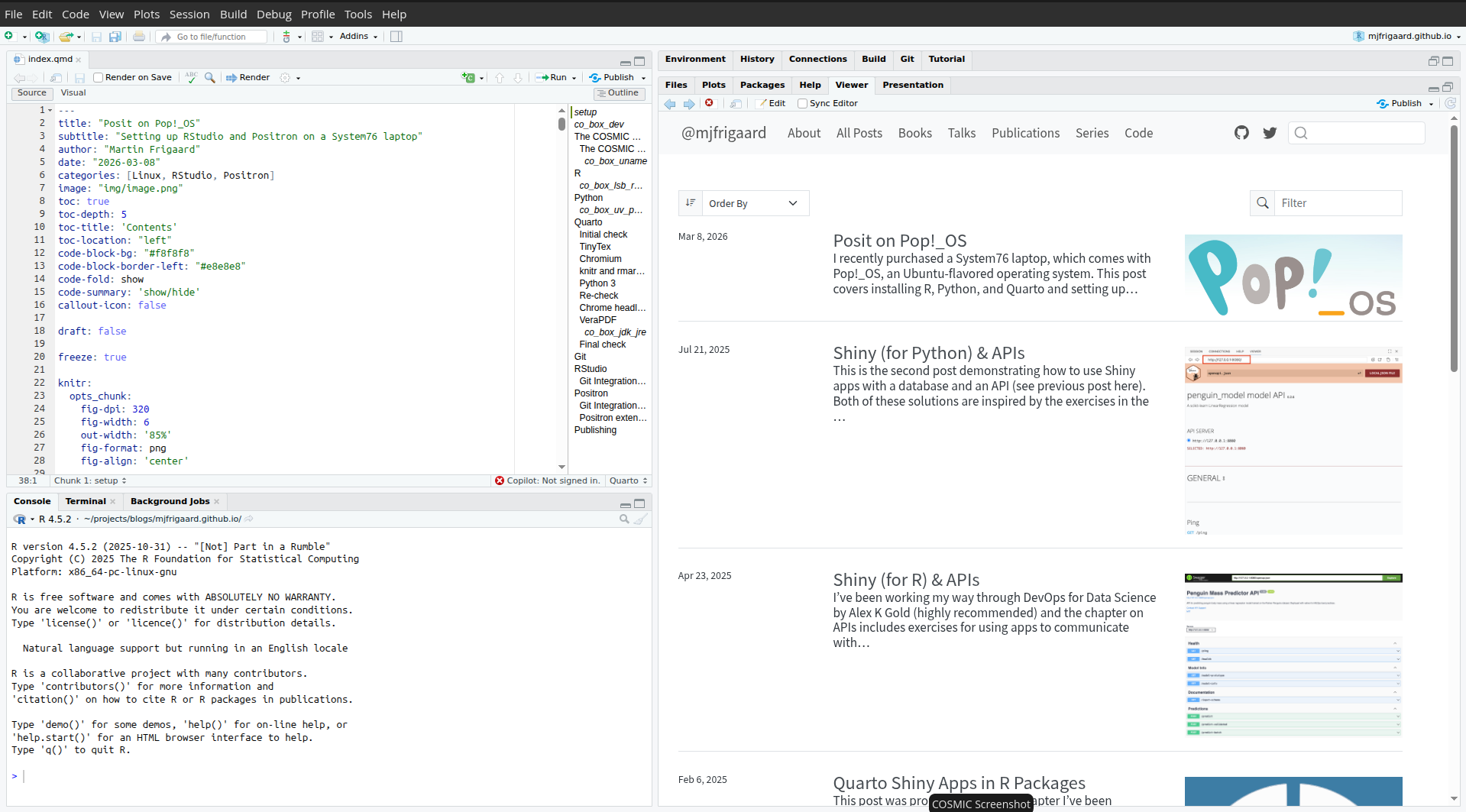

In my next post, I’ll dig a little deeper into my workflow in the COSMIC Desktop Environment (vs. macOS and Windows).
Footnotes
Posit has documentation for installing R, Python, and Quarto on most operating systems.↩︎
Positron uses the open-source Open VSX marketplace for extensions.↩︎
Most of these extensions come from the Positron +1e extension pack from Garrick Aden-Buie.↩︎