splam
Shiny for Python app for Linux administration, aimed at sysadmins in regulated (pharma/biotech) environments.
Features
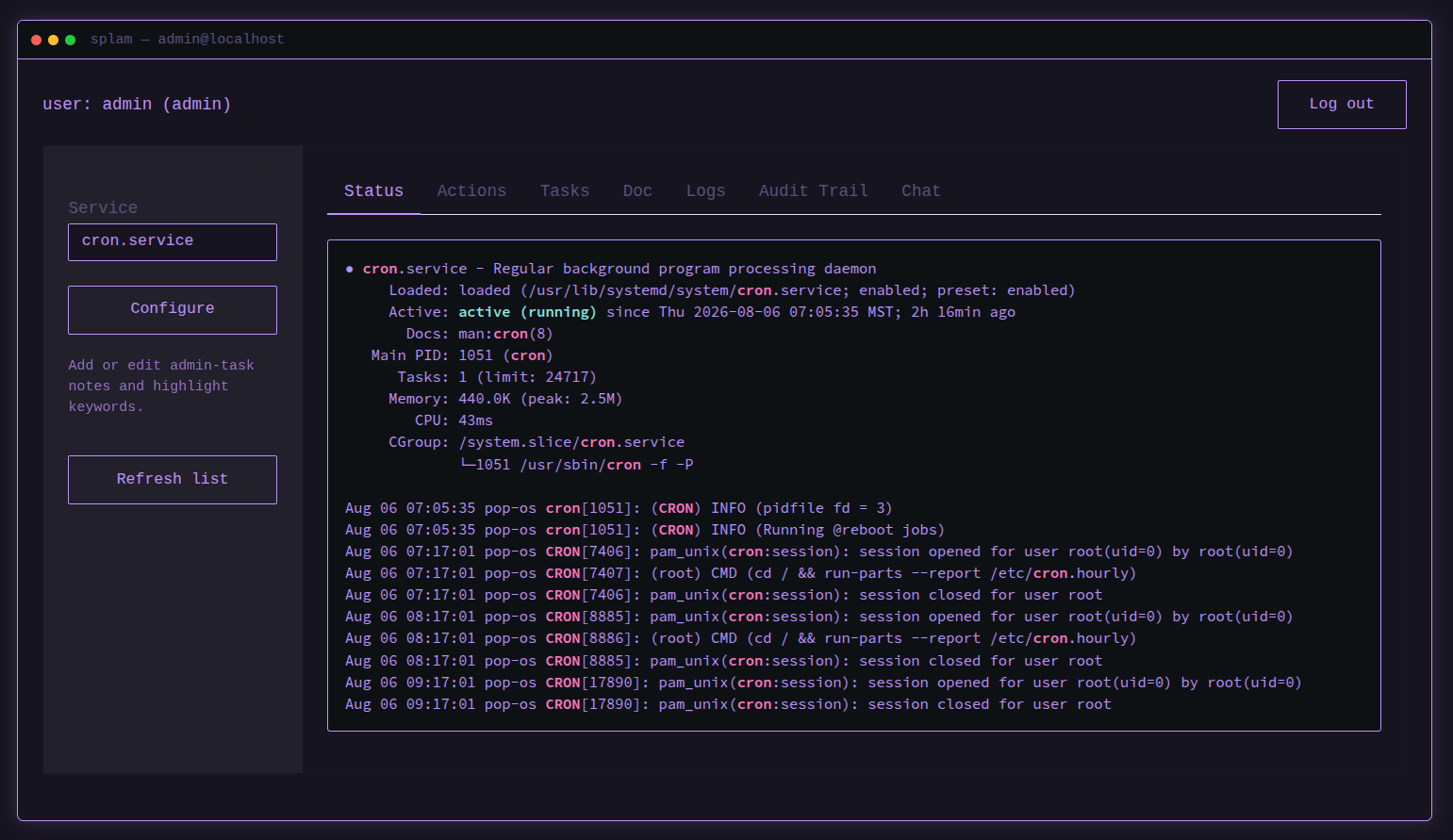
Service control: start/stop/restart systemd services from the Actions tab, with a required Reason for each action. The sidebar’s Service dropdown fills itself from systemd’s unit search path, so every
.serviceunit on the host is selectable.Status / Logs / Audit Trail: live
systemctl status, the last Njournalctlentries (newest first, with a text search over the returned lines), and every start/stop/restart recorded with timestamp, user, service, action, reason, and result. All three highlight known keywords (errors, warnings, success/action terms) inline.Tasks: per-service admin-task notes (purpose, checks, common issues, suggested log search terms, compliance considerations). Ships with entries for
cron,ssh/sshd,auditd,rsyslog, time sync (chronyd/chrony/systemd-timesyncd), andfirewalld/ufw; any other service falls back to generic guidance.Doc: the selected unit’s own documentation, read from its
Documentation=property and rendered withsystemctl help. Man pages print inline; other references are listed as links.Configure: an in-app button to add or edit a service’s admin-task notes, and to add custom keywords to the Logs/Status/Audit Trail highlighting, without editing code.
Access control: two roles (
admin, and read-onlyauditor), a lockout after repeated failed logins, and a server-enforced idle session timeout. Logins, lockouts, timeouts, and rejected actions all land in the audit trail.Chat (optional): a chat panel seeded with the selected service’s admin-task notes, built on chatlas. Defaults to a local model via Ollama so log output stays on the host, and has no tool that can start, stop, or restart anything. Absent unless you install the
chatextra.
Installation
Install into a virtual environment. On Debian-based systems (Pop!_OS, Ubuntu, Debian) the system Python is marked externally managed under PEP 668, so a venv is required rather than merely recommended. pip install against the system interpreter fails with externally-managed-environment.
git clone https://github.com/mjfrigaard/splam.git
cd splam
python3 -m venv .venv
.venv/bin/pip install -e .
This pulls in Shiny and puts both splam-users and shiny in .venv/bin/. Activate the environment so those are on your PATH:
source .venv/bin/activateEvery command below assumes an activated venv. Without activating, call them by path instead (.venv/bin/splam-users, .venv/bin/shiny).
Logging in
The app requires an account before you can control services or view logs. Accounts live in a local hashed credentials file. There is no default account.
Create one with the CLI installed alongside the package:
splam-users add adminThis prompts for a password (entered twice) and stores a salted hash in credentials.json, under ~/.local/share/splam/ by default. Set SPLAM_DATA_DIR to put that directory elsewhere (/var/lib/splam for a system deployment). The directory is created mode 0700.
Start the app:
shiny run splam.app:app --reload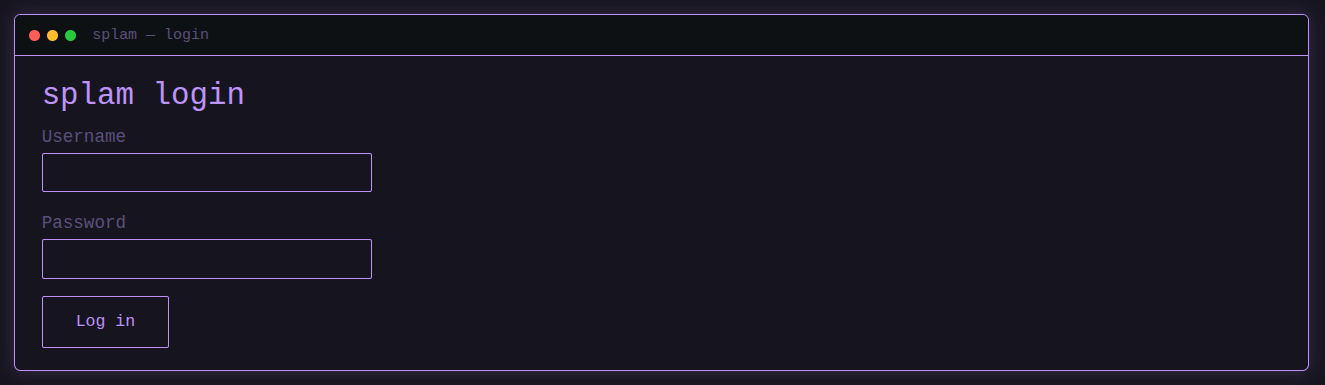
Then log in at the form with the username/password you just created. List existing accounts and their roles anytime with:
splam-users listRoles and session limits
splam-users add creates an admin account by default. A read-only auditor account sees Status, Tasks, Doc, Logs, and Audit Trail, but can’t control services or edit notes:
splam-users add qa-reviewer --role auditorThree limits apply to every session, each adjustable by environment variable:
| Setting | Default | Behavior |
|---|---|---|
SPLAM_MAX_FAILED_LOGINS |
5 |
Consecutive failures before an account locks |
SPLAM_LOCKOUT_SECONDS |
900 |
How long a locked account stays refused |
SPLAM_IDLE_TIMEOUT |
900 |
Idle seconds before the session is ended server-side |
Lockouts are held in memory by the running process, so restarting the app clears them.
Chat
The chatbot is optional and nothing imports it unless it’s installed:
.venv/bin/pip install -e ".[chat]"That adds a Chat tab, and splam-chat for the same conversation in a terminal. It defaults to a local model served by Ollama; point it elsewhere with SPLAM_CHAT_PROVIDER (ollama, anthropic, openai, google) and SPLAM_CHAT_MODEL. Set SPLAM_CHAT_TOOLS=1 to let it read status, logs, notes, and the audit trail on its own. It has no tool that can control a service, by design.
Read Explanation: Chatbot Scope before pointing it at a hosted provider on a regulated host.
Running the tests
The suite needs pytest, which comes with the dev extra:
.venv/bin/pip install -e ".[dev]"
.venv/bin/pytest
The suite writes to a temporary directory, so it never touches real credentials or the real audit log. CI runs it on every push and pull request against Python 3.11, 3.12, and 3.13. See Dev-Guide: Run the Tests for what each test covers.
Documentation
- Tutorial: install, log in, and control a service end to end
- How-To Guides: accounts and roles, logs, service actions, the audit trail, admin-task notes, and the tests
- Explanation: the reasoning behind the login model, the audit trail, and the app’s structure
- API Reference: full API documentation