Following along with a book is easier when you can run the code. Every Shiny app example in the Shiny App-Packages book lives on a branch of the sap repository, and shinypak gives you a single function call to download or launch any of them.1 It also includes a few helper functions for checking the files and folders in a Shiny app-package.
Installation
You can install the development version of shinypak from GitHub with pak:
install.packages('pak')
pak::pak("mjfrigaard/shinypak", force = TRUE)GitHub authentication
shinypak uses the gert package for Git/GitHub management, and assumes your credentials are already stored in your OS keychain (which gert handles automatically with the credentials package).2
Available app-packages
Every application in shinypak comes from a chapter in the Shiny App-Packages book. The topic_lookup table connects each branch to its book part and chapter:
head(topic_lookup, 10)| branch | part | chapter |
|---|---|---|
| 02.1_shiny-app | Intro | Shiny |
| 02.2_movies-app | Intro | Shiny |
| 02.3_proj-app | Intro | Shiny |
| 03.1_description | Intro | Packages |
| 03.2_rproj | Intro | Packages |
| 03.3_create-package | Intro | Packages |
| 04_devtools | Intro | Development |
| 05_roxygen2 | App-packages | Documentation |
| 06.1_exports | App-packages | Dependencies |
| 06.2_imports | App-packages | Dependencies |
tail(topic_lookup, 10)| branch | part | chapter | |
|---|---|---|---|
| 31 | 21.3_gha-shiny-docker | Deploy | Deploying shiny app with Docker and GitHub Actions |
| 32 | 22_pkgdown | Deploy | Deploying a package website |
| 33 | 23_golem | Frameworks | golem framework |
| 34 | 24_leprechaun | Frameworks | leprechaun framework |
| 35 | 25_rhino | Frameworks | rhino framework |
| 36 | 26_llm-shiny-assist | Shiny & LLMs | LLMs with Shiny Assistant |
| 37 | 27_llm-ellmer | Shiny & LLMs | LLMs with ellmer package |
| 38 | 28_llm-chores | Shiny & LLMs | LLMs with chores package |
| 39 | 29_llm-gander | Shiny & LLMs | LLMs with gander package |
| 40 | 30_llm-btw | Shiny & LLMs | LLMs with btw package |
Launching apps and app-packages
Pass a branch name to launch() to run the application from any section in the book. launch() downloads the branch if it isn’t already in your working directory, loads it with pkgload::load_all() if it’s an app-package, then runs the app:
launch(app = "02.3_proj-app")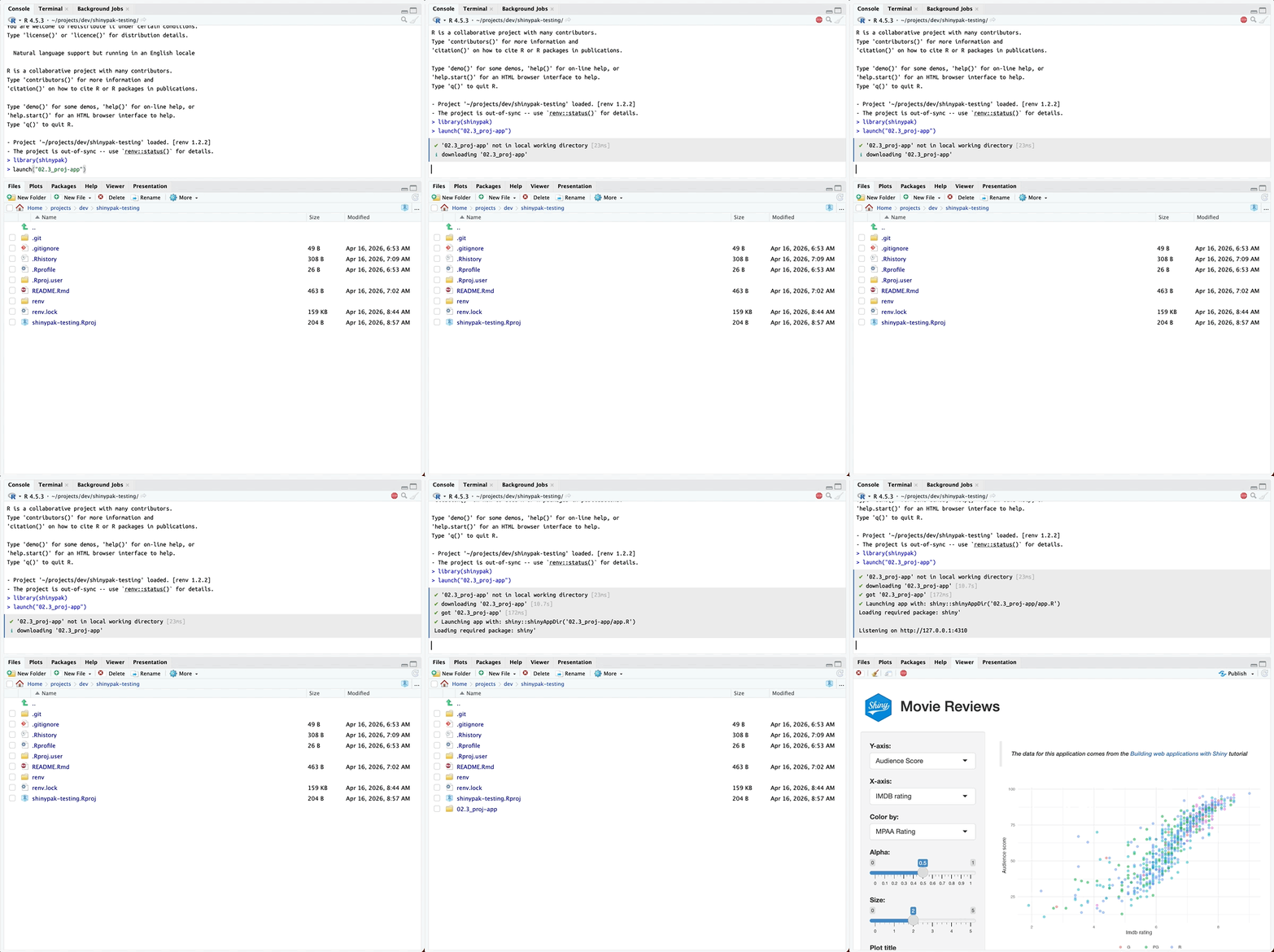
If you’d rather read the code than run it, get_app() downloads the branch without launching it, and get_app(open = TRUE) opens it in a new IDE session.
Recap
shinypak has three functions you’ll use most: list_apps() to find a branch, get_app() to download it, and launch() to run it. The package vignette walks through a full workflow, and the source for every app lives in the sap repository.