which python3Python API in a container
Set up
Review the original lab 6 files here. I’ve created both Python and R versions, and you can access and run the API from the Python/api/ folder.
First, check the Python version:
/usr/bin/python3python3 --versionPython 3.12.3Create virtual environment using venv:
/usr/bin/python3 -m venv .venv source .venv/bin/activate Install libraries in the requirements.txt:
pip install -r requirements.txtBuild model (optional)
We don’t have to, but if we want to run model.py, we’ll also need palmerpenguins and duckdb.
pip install palmerpenguinspip install duckdbNow we can run the model.py script:
python3 model.pyThis will create a new model in models/ (if something changed).
  species     island  bill_length_mm  bill_depth_mm  flipper_length_mm  body_mass_g     sex  year
0  Adelie  Torgersen            39.1           18.7              181.0       3750.0    male  2007
1  Adelie  Torgersen            39.5           17.4              186.0       3800.0  female  2007
2  Adelie  Torgersen            40.3           18.0              195.0       3250.0  female  2007
R^2 0.8555368759537614
Intercept 2169.2697209393996
prototype_data      bill_length_mm  species_Chinstrap  species_Gentoo  sex_male
0              39.1              False           False      True
1              39.5              False           False     False
2              40.3              False           False     False
4              36.7              False           False     False
5              39.3              False           False      True
..              ...                ...             ...       ...
339            55.8               True           False      True
340            43.5               True           False     False
341            49.6               True           False      True
342            50.8               True           False      True
343            50.2               True           False     False

[333 rows x 4 columns]
Columns Index(['bill_length_mm', 'species_Chinstrap', 'species_Gentoo', 'sex_male'], dtype='object')
Coefficients [  32.53688677 -298.76553447 1094.86739145  547.36692408]
Model Cards provide a framework for transparent, responsible reporting.
 Use the vetiver `.qmd` Quarto template as a place to start,
 with vetiver.model_card()
Writing pin:
Name: 'penguin_model'
Version: 20260618T104900Z-91fdd
Run the API
We’re going to make a small change to mod-api.py in this lab, and its because we need the os.environ['PINS_ALLOW_PICKLE_READ'] at the top (before any imports).
# UPDATED mod-api.py
import os
os.environ['PINS_ALLOW_PICKLE_READ'] = '1'
import warnings
warnings.filterwarnings("ignore", message=".*urllib3 v2 only supports OpenSSL.*")
import vetiver
import pins
import uvicorn
import pandas as pd
model_path = os.environ.get("MODEL_PATH", "models/")
model_board = pins.board_folder(model_path)
sklearn_model = model_board.pin_read("penguin_model")
print(f":-] Successfully loaded model: {type(sklearn_model)}")
if hasattr(sklearn_model, 'feature_names_in_'):
feature_names = sklearn_model.feature_names_in_
print(f"Model expects features: {list(feature_names)}")
def get_prototype_value(column_name):
"""Get appropriate default value for each column type"""
if 'bill_length' in column_name:
return 45.0
elif 'species_Gentoo' in column_name:
return 1
elif 'sex_male' in column_name:
return 1
else:
return 0
prototype_data = pd.DataFrame({
name: [get_prototype_value(name)] for name in feature_names
})
else:
print("Model doesn't have feature_names_in_, using estimated prototype")
prototype_data = pd.DataFrame({
"bill_length_mm": [45.0],
"species_Chinstrap": [0],
"species_Gentoo": [1],
"sex_male": [1]
})
print("Prototype data shape:", prototype_data.shape)
print("Prototype columns:", list(prototype_data.columns))
print("Sample data:")
print(prototype_data)
v = vetiver.VetiverModel(
model=sklearn_model,
model_name="penguin_model",
prototype_data=prototype_data
)
print(f":-] Created VetiverModel: {type(v)}")
vetiver_api = vetiver.VetiverAPI(v, check_prototype=True)
# can run with:
# vetiver_api.run(port = 8080)
# actual FastAPI application
app = vetiver_api.app
print(f"FastAPI app type: {type(app)}")
if __name__ == "__main__":
print(":-] Starting Penguin Model API...")
print(":-] API Documentation: http://127.0.0.1:8080/docs")
print(":-] Health Check: http://127.0.0.1:8080/ping")
print(":-] Model Info: http://127.0.0.1:8080/metadata")
uvicorn.run(app, host="0.0.0.0", port=8080)- 1
-
Set environment variable BEFORE importing pins
- 2
-
Import packages
- 3
-
load model from
MODEL_PATHenvironment variable (default: localmodels/for dev)
- 4
-
Read pinned model
- 5
- Check model for the features it expects
- 6
- Define prototype value logic (realistic penguin bill length, default to Gentoo species, default to male, default for other dummy variables)
- 7
-
Create prototype data directly
- 8
-
Fallback when model doesn’t have feature names
- 9
-
Wrap as
VetiverModel
- 10
-
Create
VetiverAPIand extractFastAPIapp - 11
- Print API info
Finally, run the API using:
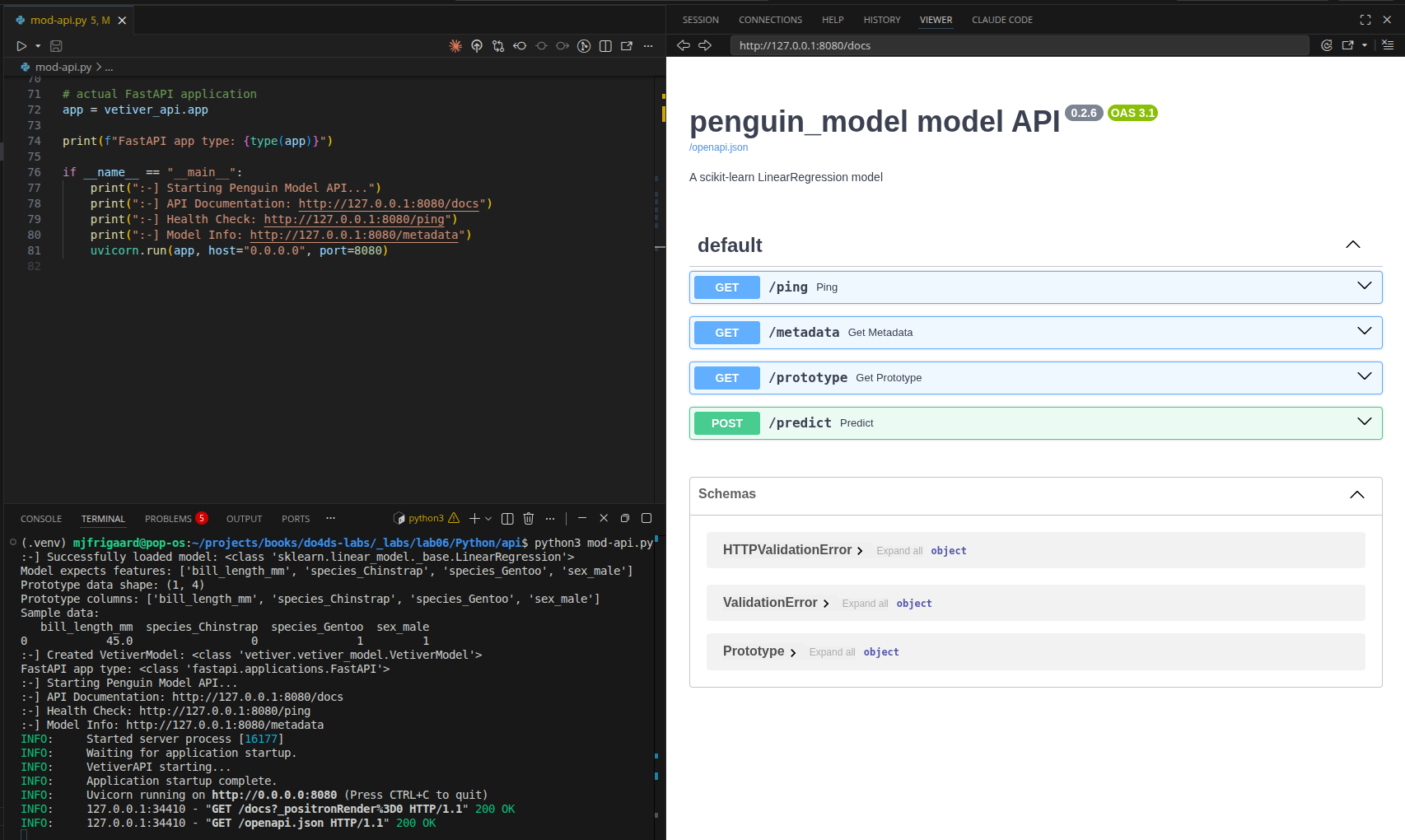
python3 mod-api.pyView the API using the following URLS:
Testing API (optional)
We can perform some terminal testing, too (in a new terminal).
Test health check:
curl http://127.0.0.1:8080/pingTest prediction using the following:
curl -X POST "http://localhost:8080/predict" \
  -H "Content-Type: application/json" \
  -d '[{"bill_length_mm": 45.0, "species_Chinstrap": 0, "species_Gentoo": 1, "sex_male": 1}]'
vetiver typically expects data as a list of observation records. The outer [...] wraps a single record so it becomes one row in the DataFrame.
Make sure to quit (Ctrl + c) the API before building the Docker image and running the model in the container.
Docker
Start docker:
systemctl --user start docker-desktopCreate a Dockerfile and enter the following:
FROM python:3.11-slim
WORKDIR /app
COPY requirements-api.txt .
RUN pip install --no-cache-dir -r requirements-api.txt
COPY mod-api.py .
ENV MODEL_PATH=/data/model
ENV PINS_ALLOW_PICKLE_READ=1
EXPOSE 8080
CMD ["python3", "mod-api.py"]- 1
-
official Python 3.11 slim image as the base
- 2
-
working directory inside the container to /app
- 3
-
copies the API requirements file from the host into the container
- 4
- installs Python dependencies
- 5
-
copies the
FastAPIapplication script into the container
- 6
-
sets an environment variable pointing to where the model will be mounted
- 7
-
enables Vetiver to read pickle model files
- 8
-
exposes port 8080 so the API can be accessed externally
- 9
- runs the FastAPI application when the container starts
The python:3.11-slim minimizes container size. The --no-cache-dir -r will perform a pip install without caching to reduce image size. The ENV lines are environment variables (path to data and pickle files), and EXPOSE will allow us to use a port (similar to mod-api.py).
Build the image
Build the image (run from Python/api/):
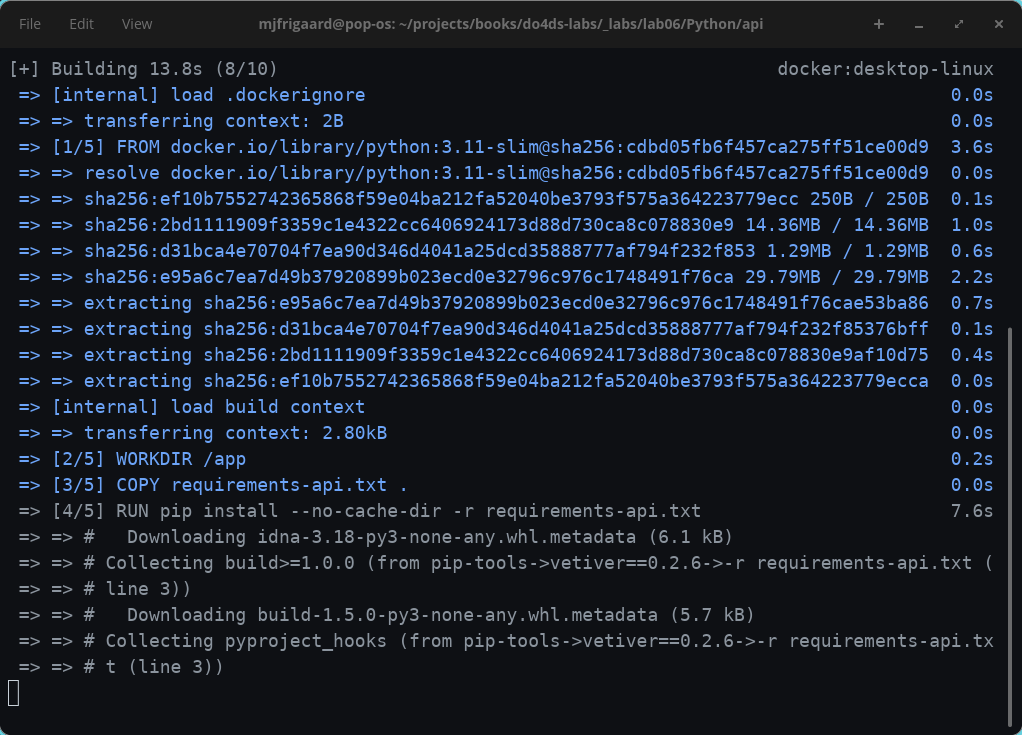
docker build -t penguin-model-py .In the Terminal, you should see something like:
When the image is built, we can see it under Builds in Docker Desktop:

Run the container
Run the container, mounting the model directory from the host:
docker run --rm -d \
  -p 8080:8080 \
  --name penguin-model-py \
  -v "$(pwd)/models":/data/model \
  penguin-model-py
The -v flag mounts the local models/ folder into the container at /data/model, which is where MODEL_PATH points by default. This keeps the model outside the image so it can be updated without a rebuild.
In Docker Desktop, click on the Containers tab and you’ll see the container running:

Test the running container:
curl http://localhost:8080/pingThe response should be:
{"ping":"pong"}To stop the container, run the following:
docker stop penguin-model-pySince we used --rm in the run command, the container will be automatically removed when it stops.
If the graceful stop doesn’t work, you can force kill it:
docker kill penguin-model-pyFinal project files
├── api.Rproj
├── Dockerfile
├── mod-api.py
├── model.py
├── models/
├── my-db.duckdb
├── README.md
├── requirements-api.txt
└── requirements.txt
5 directories, 12 files- 1
- Container definition to build and run the API in Docker.
- 2
-
FastAPIapplication that loads the ML model and exposesRESTendpoints (ping,metadata,predict). - 3
-
Script that trains a linear regression model on Palmer penguin data and saves it using
Vetiverpins.
- 4
-
Directory containing timestamped model versions with
.joblibmodel files anddata.txtmetadata.
- 5
-
DuckDB database file storing the Palmer penguins dataset.
- 6
- Setup and usage instructions for running the API locally and in Docker.
- 7
-
Python dependencies for the
FastAPIapplication.
- 8
- Python dependencies for both model training and the API.
In the next lab, we’ll run the R api in a Docker container.