source("model.R")R API in a container
Set up
The original lab 6 files are only available for the Python API, butI’ve created both Python and R versions, and you can access and run the API from the R/api/ folder.:
With R, we don’t have to confirm the R version (or create a virtual environment), because renv is handling our project-level dependencies.
Build model (optional)
We can run the scripts/commands to build the model, but it’s not required.
We should see something like this:
=== Model Training Complete ===
Formula:
body_mass_g ~ bill_length_mm + species + sex

Coefficients:
     (Intercept)   bill_length_mm speciesChinstrap    speciesGentoo          sexmale
      2169.26972         32.53689       -298.76553       1094.86739        547.36692
===============================

Registered S3 method overwritten by 'butcher':
  method                 from
  as.character.dev_topic generics
Vetiver prototype (API will expect this format):
# A tibble: 0 × 3
# ℹ 3 variables: bill_length_mm <dbl>, species <fct>, sex <fct>

Replacing version '20251218T152129Z-74445' with '20260628T205736Z-8856d'
Writing to pin 'penguin_model'

Create a Model Card for your published model
• Model Cards provide a framework for transparent, responsible reporting
• Use the vetiver `.Rmd` template as a place to start
This message is displayed once per session.
✓ Model trained and pinned successfully
  Model name: penguin_model
  Version:
  Pin location: ./models/penguin_model
We can run the API with the plumber.R file:
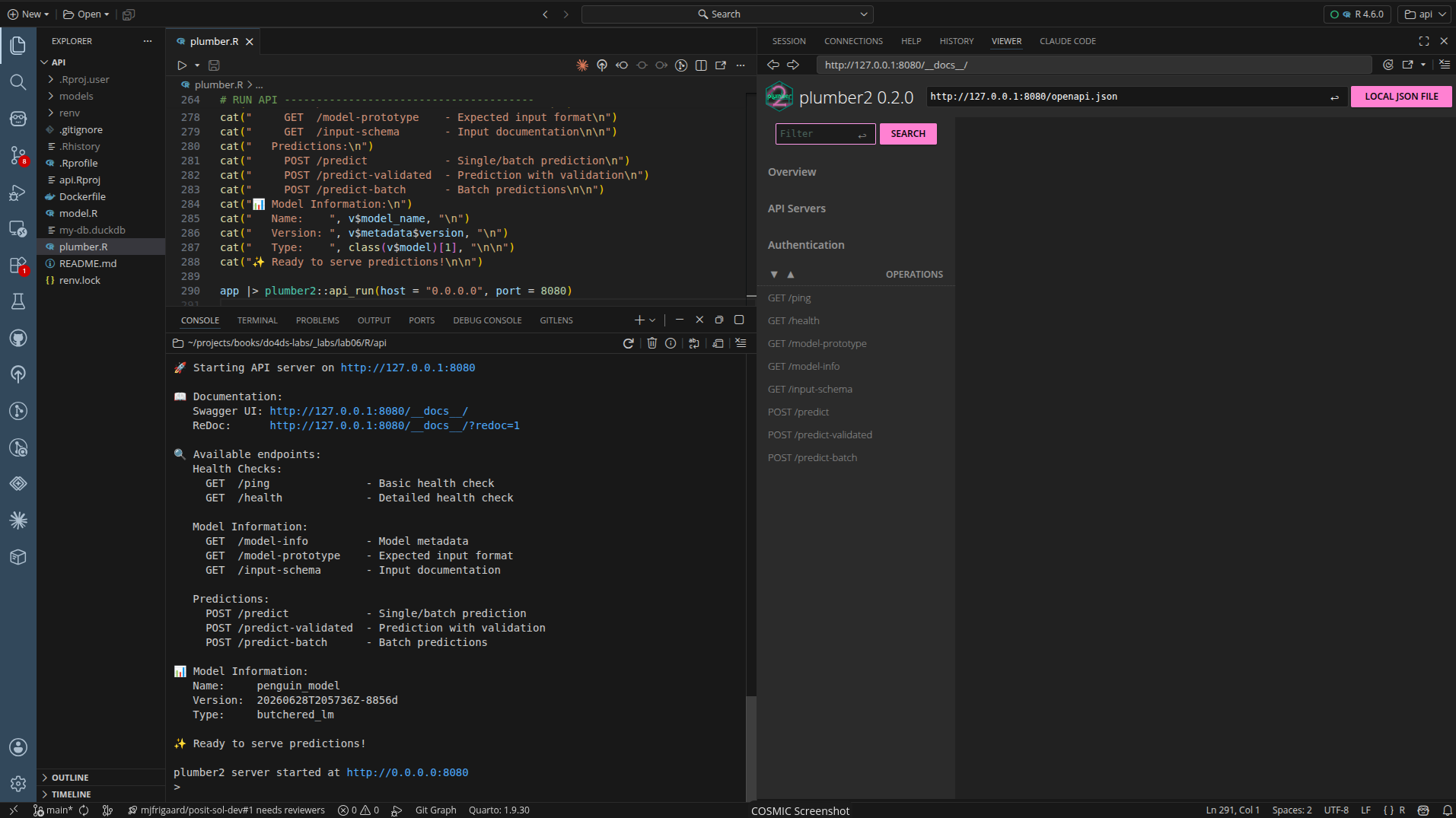
source("plumber.R")The API is now running on http://127.0.0.1:8080:
Testing the API
We can perform some terminal testing, too (in a new terminal).
Test health check:
curl http://127.0.0.1:8080/ping{
"status": [
"alive"
],
"timestamp": [
"2026-06-28 14:15:15"
]
}Test detailed health:
curl http://127.0.0.1:8080/health{
"status": [
"healthy"
],
"timestamp": [
"2026-06-28 14:16:04"
],
"model_name": [
"penguin_model"
],
"model_version": [
"20260628T205736Z-8856d"
],
"r_version": [
"R version 4.6.0 (2026-04-24)"
]
}Test prediction using the following:
curl -X POST "http://localhost:8080/predict-validated" \
  -H "Content-Type: application/json" \
  -d '{"bill_length_mm": 45.0, "species": "Gentoo", "sex": "male"}'
{
"prediction": [
5275.6639
],
"input": {
"bill_length_mm": [
45
],
"species": [
"Gentoo"
],
"sex": [
"male"
]
},
"model_version": [
"20260628T205736Z-8856d"
],
"timestamp": [
"2026-06-28 14:16:33"
]
}plumber2 provides a validated endpoint (/predict-validated) that checks for required fields and valid factor levels, ensuring the input matches the model’s expectations.
Make sure to quit the API before building the Docker image and running the model in the container. plumber.R assigns the API to app, so from the R session that started it:
app$stop()Docker
Start docker:
systemctl --user start docker-desktopCreate a Dockerfile with the following:
FROM rocker/r-ver:4.6.0
RUN apt-get update && apt-get install -y --no-install-recommends \
libssl-dev \
libcurl4-openssl-dev \
libxml2-dev \
libfontconfig1-dev \
libharfbuzz-dev \
libfribidi-dev \
libfreetype6-dev \
libpng-dev \
libtiff5-dev \
libjpeg-dev \
cmake \
libsodium-dev \
libx11-dev \
pandoc \
xz-utils \
libuv1-dev \
&& rm -rf /var/lib/apt/lists/*
WORKDIR /app
COPY .Rprofile .
COPY renv/activate.R renv/activate.R
COPY renv.lock .
RUN Rscript -e "renv::restore(prompt = FALSE)"
COPY plumber.R .
ENV MODEL_PATH=/data/model
EXPOSE 8080
CMD ["Rscript", "plumber.R"]- 1
-
Base image: R 4.6.0 from Rocker project (Debian/Ubuntu-based)
- 2
- Install system-level build dependencies required by R packages.
- 3
-
OpenSSL and crypto libraries for
httr,curl,opensslR packages
- 4
-
XML parsing for
xml2package
- 5
-
Font rendering libraries for
ragg,svglite,systemfontspackages - 6
-
Build tools for native compilation of R packages
- 7
-
Cryptography library for
sodiumpackage
- 8
-
X11 libraries for
cliprpackage
- 9
-
Document conversion for
knitrpackage
- 10
-
Compression utilities for
duckdbpackage extraction
- 11
-
libuvlibrary forfspackage
- 12
-
Set working directory for the application
- 13
-
Copy
renvbootstrap files first (before application code) to leverage Docker’s layer caching
- 14
-
Restore R package dependencies from
renv.lock.
- 15
-
Copy the application code after dependencies are installed
- 16
-
Set environment variable for model path (application-specific)
- 17
-
Expose port where Plumber API will listen
- 18
- Start the Plumber API when container runs
Using --no-install-recommends minimizes the image size. We’re copying .Rprofile and renv so the R package installation layer won’t rebuild unless renv.lock or bootstrap files change (the .Rprofile automatically sources renv/activate.R, which bootstraps renv and configures .libPaths() to use the project-local library before restore() runs). COPY plumber.R . prevents re-running the long package installation if only app code changes.
Build the image
Build the image (run this from new Terminal in _labs/lab06/R/api/ directory):
docker build --no-cache -t penguin-model-r .Adding --no-cache will re-run the apt-get install step and pick up all the system dependencies before attempting renv::restore().
In the Terminal, you should see something like:
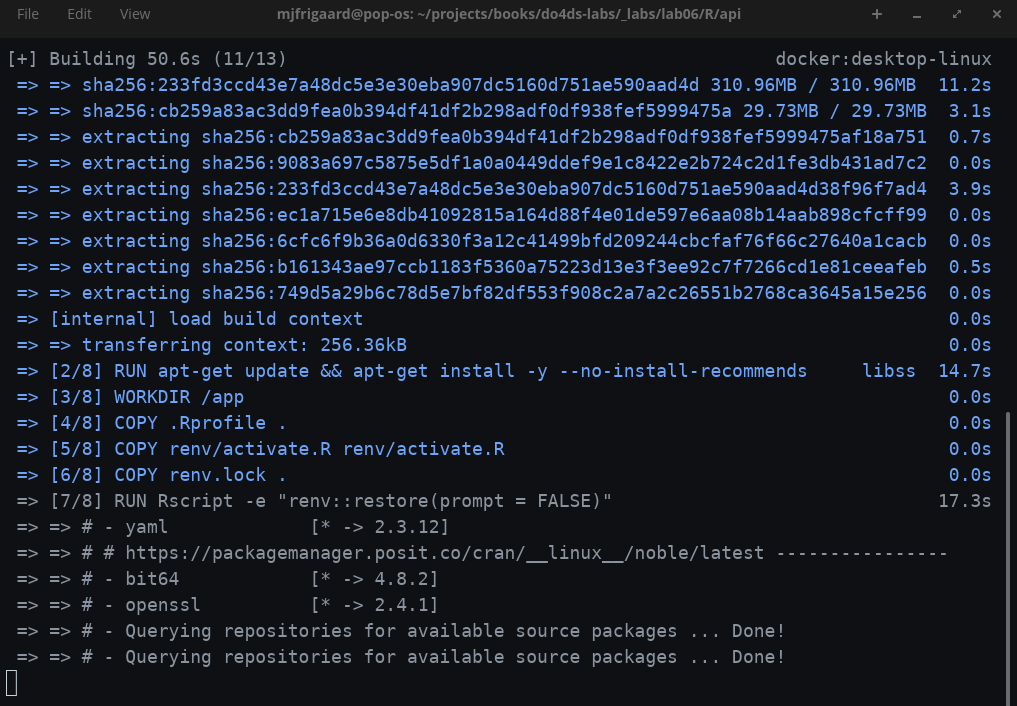
Just like with the Python API, docker is installing the dependencies and setting up the image.1
When the build is complete, you’ll see it in the Builds tab (along with the previous Python image):

Run the container
To run the container, mount the model directory from the host:
docker run --rm -d \
  -p 8080:8080 \
  --name penguin-model-r \
  -v "$(pwd)/models":/data/model \
  penguin-model-r
The -v flag mounts the local models/ folder into the container at /data/model, which is where MODEL_PATH points by default in plumber.R. This keeps the model outside the image so it can be updated without a rebuild.
In the Desktop, we’ll see R container running:

Test the running container:
curl http://localhost:8080/pingThe response should be:
{
  "status": [
  "alive"
  ],
  "timestamp": [
  "2026-06-28 14:15:00"
  ]
}
To stop the container, run the following:
docker stop penguin-model-rSince we used --rm in the run command, the container will be automatically removed when it stops.
If the graceful stop doesn’t work, you can force kill it:
docker kill penguin-model-rFinal project files
├── api.Rproj
├── Dockerfile
├── model.R
├── models/
├── my-db.duckdb
├── plumber.R
├── README.md
├── renv/
│ ├── activate.R
│ ├── library/
│ │ └── linux-pop-noble/
│ ├── settings.json
│ └── staging/
└── renv.lock- 1
-
Defines the container image to deploy this API (base image, dependencies, startup command)
- 2
-
Script that trains and serializes the penguin regression model (
lm())
- 3
-
Versioned, saved model artifact (the timestamp-named directory is a
vetivermodel board pin) - 4
-
Local DuckDB database file, likely storing penguin data used for training or logging predictions.
- 5
-
The main API definition — declares endpoints using
plumberdecorators (#* @get,#* @post, etc.) - 6
-
Project documentation
- 7
-
Bootstrap script that initializes
renvwhen the project is opened - 8
-
Project-local R package library managed by
renv
- 9
-
renvconfiguration options (e.g., snapshot type, ignored packages)
- 10
-
Temporary directory
renvuses when installing packages
- 11
- Lockfile recording exact package versions for reproducibility
I noticed the install time for the
plumber2API was quite a bit longer than the Python/FastAPI. For example,duckdbtook quite a bit of time to install, and some additional dependencies were required.↩︎