3 Frequency polygons
TipTheme:
theme_talkboy()
Graphs in this chapter use fmggp2::theme_talkboy(), built from the Deluxe Talkboy cassette recorder: a dark walnut background, a silver frame and panel, button blue marks, and a Brush Script title.
3.1 Description
A frequency polygon shows where numbers fall, using points joined by straight lines. It works like a bar graph that shows how many numbers fall in each box along the x axis,1 but people use it more often to compare more than one set of numbers. A key2 often tells us which line goes with which set. A frequency polygon can show whether the line looks the same on both sides3 or reaches far out on one side.4
3.2 Set up
PACKAGES:
Bring in the code we’ll use.5
library(ggplot2)
library(dplyr) # for tibble() and data manipulation
DATA:
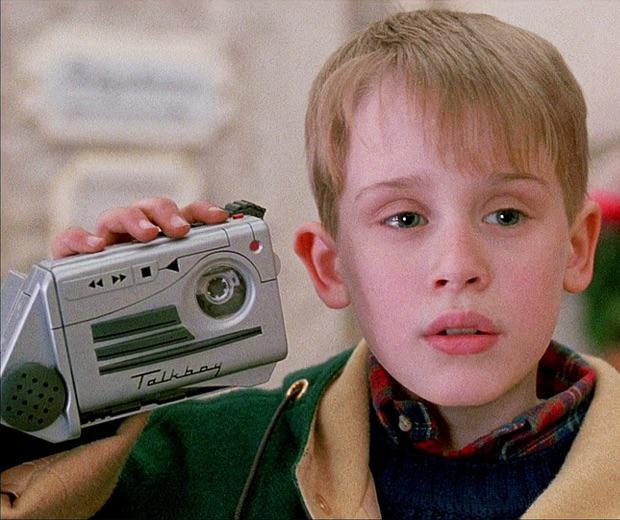
r/nostalgia)The Talkboy was a small box you could hold in one hand that kept what you said and played it back.6 The boy in Home Alone 2 (1992) used one. A company sold a real one that same year, and in 1993 it sold a better one that could also make your voice sound higher or lower.7
We’ll make up8 300 messages said into a Talkboy with rgamma(), and round how long each message lasts to one number after the point (like 6.9 seconds). Starting with set.seed()9 means you’ll get the same 300 messages every time you run the code below.
set.seed(1999) # same 300 clips every time the code runs
talkboy_clips <- tibble(
  clip_id = 1:300, # 300 different recordings, one row each
  seconds = round(
    rgamma(
      n = 300,
     shape = 4, # clip lengths average 8 seconds (with a long right tail)
     rate = 0.5),
    1 # one decimal place
    )
)
glimpse(talkboy_clips)
#> Rows: 300
#> Columns: 2
#> $ clip_id <int> 1, 2, 3, 4, 5, 6, 7, 8, 9, 10, 1…
#> $ seconds <dbl> 10.0, 6.9, 7.2, 9.0, 11.5, 10.7,…
3.3 Distribution
If you ever gave a child something to talk into, you already know the form of the rule we used to make up the data.10 Most messages last a few seconds, but every so often someone talks on and on for 15 or 20. Those long messages make the numbers reach far out to the right.11 Below we’ll move from the numbers, to a graph, to the rule behind it.12
COUNT IT:
Start with the first ten messages.
show/hide
head(talkboy_clips$seconds, 10)
#>  [1] 10.0  6.9  7.2  9.0 11.5 10.7  5.2  3.4 14.5
#> [10] 11.1
Most of these are under 12 seconds, but one (14.5) runs much longer. The median is the middle message when you put all the messages in order. Long messages like this move the mean up, but the median moves very little. Comparing the two is a quick way to check whether the numbers reach far out on one side.
show/hide
talkboy_clips |>
  summarise(
    mean = mean(seconds),
    median = median(seconds))
The mean is larger than the median, so more than half of the messages are shorter than the mean. We can find how many there are by cutting the messages into two groups at the mean (about 8.1 seconds).
show/hide
talkboy_split <- talkboy_clips |>
  mutate(speed = if_else(seconds < mean(seconds),
    "shorter than the mean", "the mean or longer"),
    speed = factor(speed,
      levels = c("shorter than the mean", "the mean or longer"))) |>
  count(speed)
talkboy_split
DRAW IT:
A bar model shows the two groups as two parts of one whole. If the frequency polygon looked the same on both sides, the two parts would be about the same size. Here the short messages take up the bigger part of the bar.
show/hide
ggplot(data = talkboy_split,
    aes(x = n, y = "300 messages", fill = speed)) +
  geom_col(position = position_stack(reverse = TRUE),
    color = "white") +
  geom_text(aes(label = n), color = "black",
    position = position_stack(vjust = 0.5, reverse = TRUE)) +
  labs(x = "Number of messages", y = NULL,
    fill = "Message length")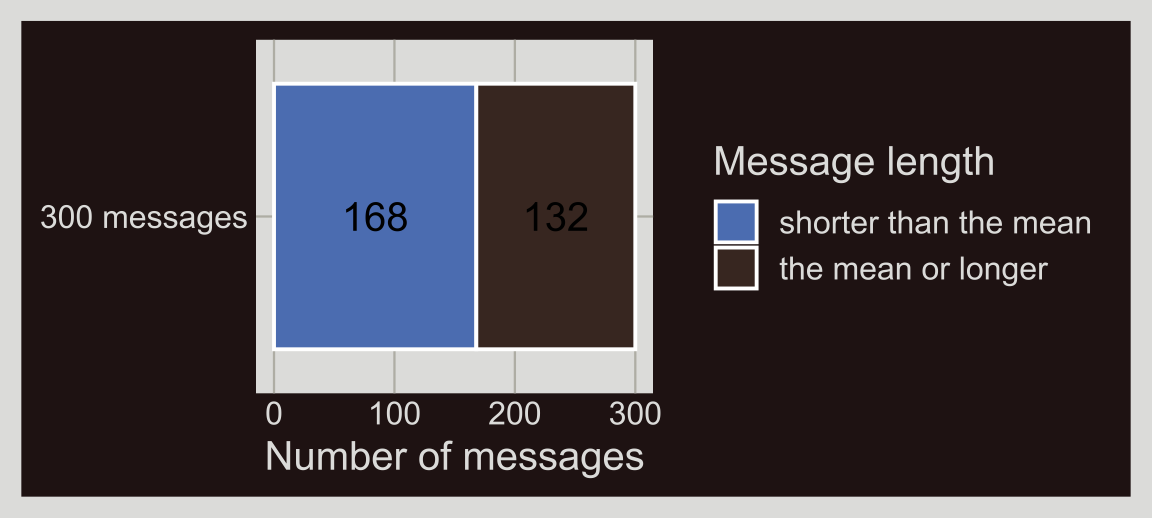
The frequency polygon below shows the same thing as a line: there are more short messages than long ones. The broken line marks the median and the line with no breaks marks the mean. The highest points are at or to the left of the median, and the line goes on far to the right, past the mean.
show/hide
ggplot(data = talkboy_clips,
    aes(x = seconds)) +
  geom_freqpoly() +
  geom_vline(xintercept = median(talkboy_clips$seconds),
    linetype = "dashed", color = "white") +
  geom_vline(xintercept = mean(talkboy_clips$seconds),
    color = "white") +
  labs(x = "Message length (seconds)")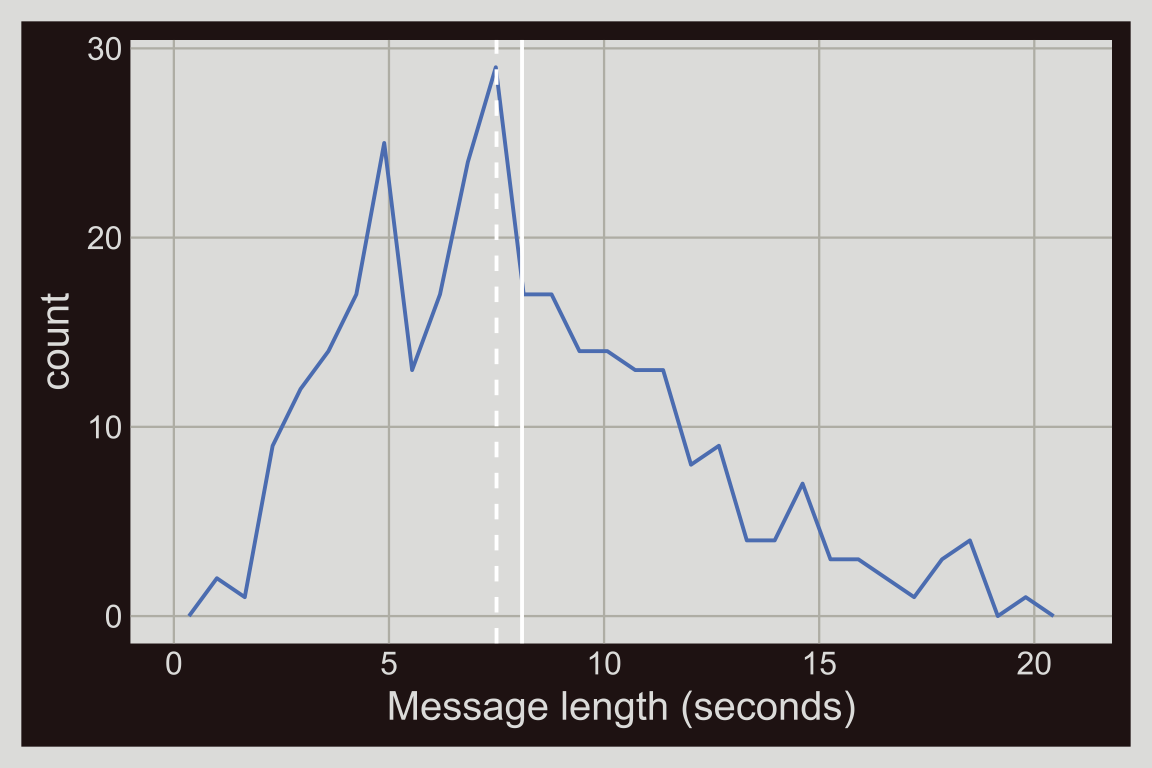
NAME IT:
We can write the rgamma() code that made up the data as one line:
\[ X \sim \text{Gamma}(k = 4, \lambda = 0.5) \]
This rule13 has two numbers in it.14 The first number (\(k\), shape in rgamma()) sets how different the two sides of the polygon are, and the second number (\(\lambda\), rate in rgamma()) sets how far along the x axis it goes. From these two numbers we can work out the mean (\(k / \lambda = 8\) seconds), the high point15 (\((k - 1) / \lambda = 6\) seconds), and how far a message usually falls from the mean16 (\(\sqrt{k} / \lambda = 4\) seconds). The high point comes before the mean, which is what reaching far out to the right looks like in the rule.
The messages we made up come close: the mean is 8.1 seconds, and a message usually falls 3.8 seconds from the mean. Try making shape bigger in rgamma(), and the polygon starts to look more the same on both sides. With a large shape, this rule makes a line that is high in the middle and low on both sides, like the numbers in Chapter 2.17
3.4 Grammar
CODE:
Make the words around the graph18 with
labs()Start the graph with
ggplot()and give itdataPut
secondson thexaxis19Add
geom_freqpoly()on top20
labs_freqpoly <- labs(
  title = "Talkboy",
  caption = "Simulated data",
  subtitle = "Length of 300 recorded messages",
  x = "Message length (seconds)")
ggp2_freqpoly <- ggplot(data = talkboy_clips,
      aes(x = seconds)) +
    geom_freqpoly()
ggp2_freqpoly +
  labs_freqpoly
GRAPH:
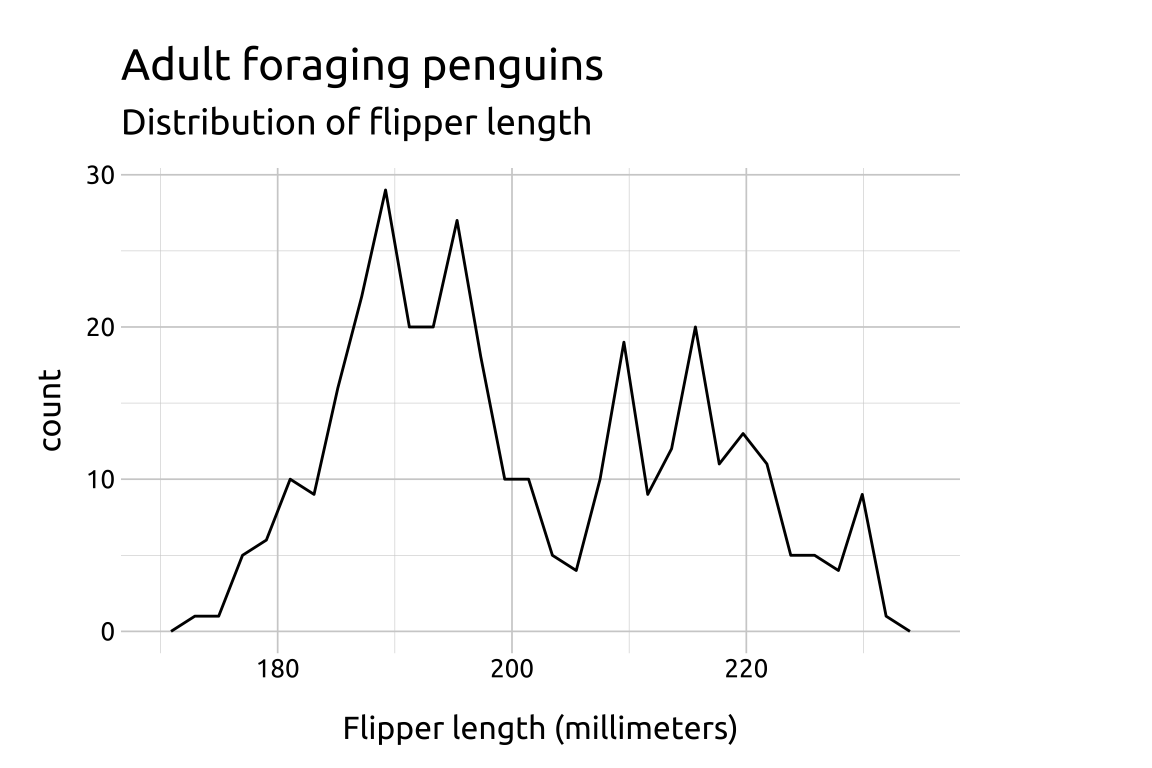
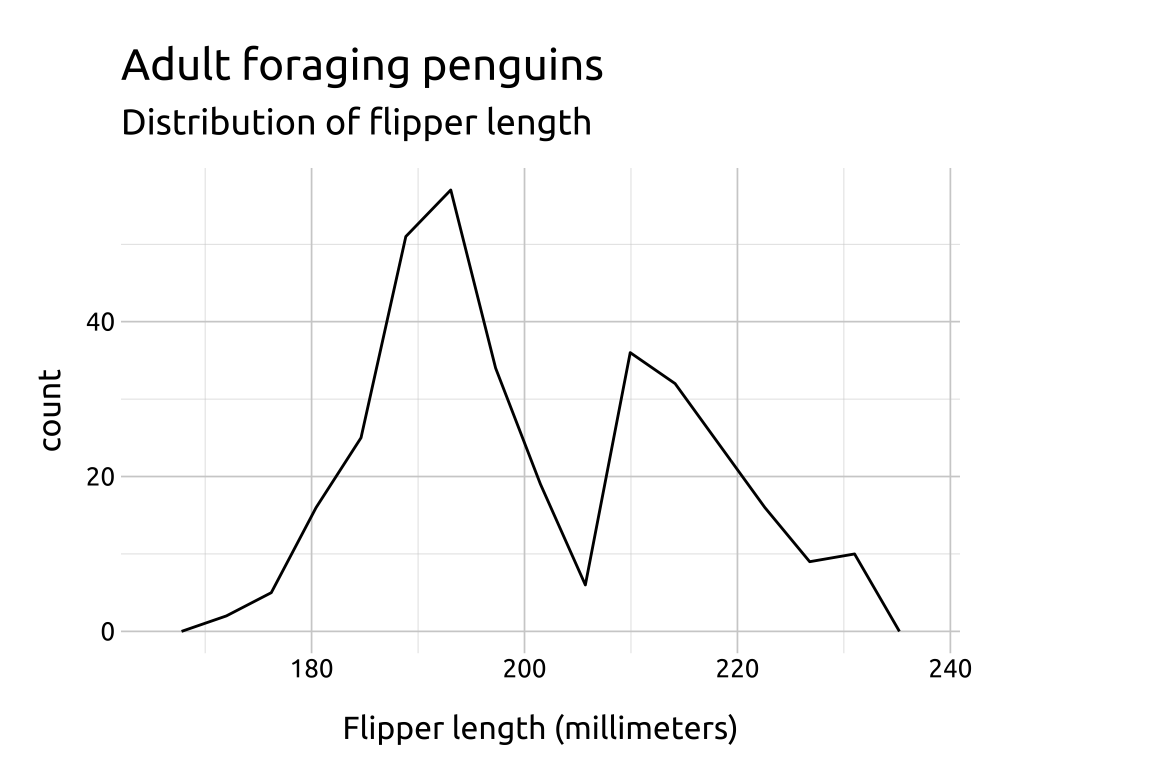
Try different numbers of bins21 to see which one best shows the form of your column.
show/hide
ggp2_freqpoly_bins45 <- ggplot(data = talkboy_clips,
     aes(x = seconds)) +
     geom_freqpoly(bins = 45)

ggp2_freqpoly_bins45 +
  labs_freqpoly

ggp2_freqpoly_bins15 <- ggplot(data = talkboy_clips,
     aes(x = seconds)) +
     geom_freqpoly(bins = 15)

ggp2_freqpoly_bins15 +
  labs_freqpoly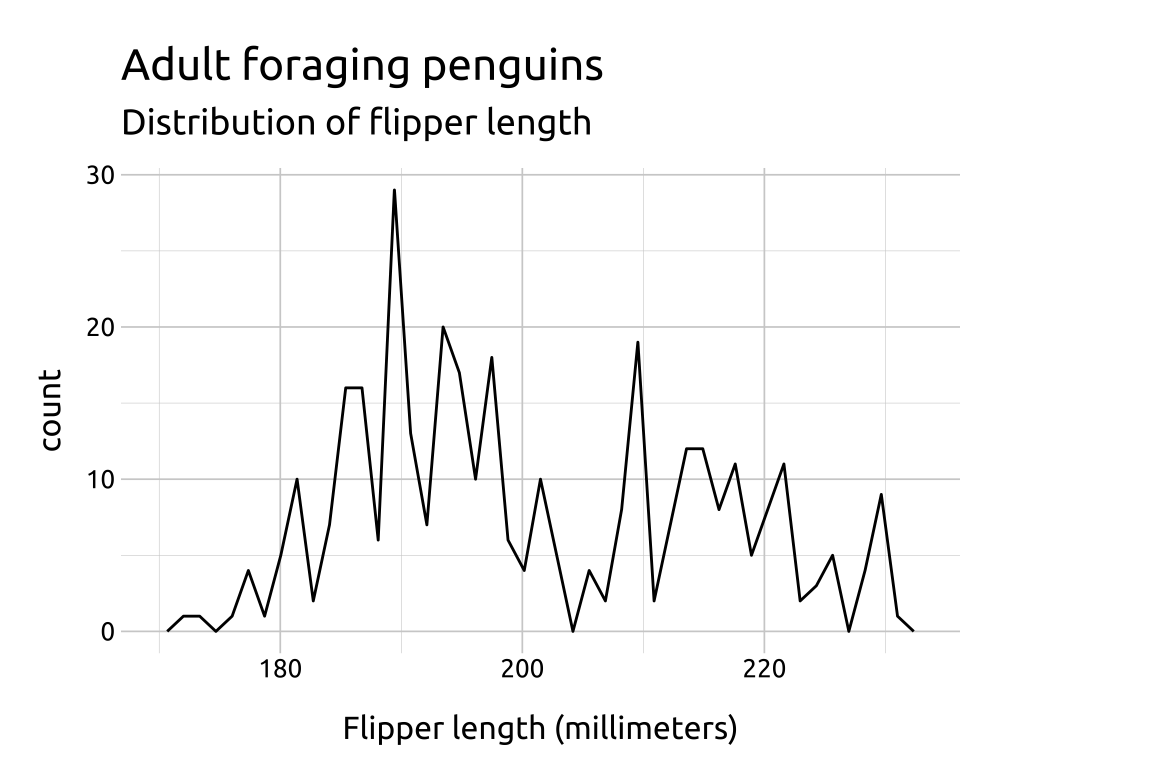
A histogram, which splits the
xaxis into bins and draws a bar for the count in each bin. A frequency polygon plots the same counts at the middle of each bin and connects them with lines.↩︎A legend, used to tell apart the data sets.↩︎
Symmetry: a symmetric distribution.↩︎
Skewness.↩︎
Install and load the packages.↩︎
A handheld cassette recorder.↩︎
Tiger Electronics sold the first Talkboy in 1992 and the Deluxe Talkboy, with the voice changer from the film, in April 1993.↩︎
Simulate.↩︎
Setting the random seed.↩︎
The shape of the distribution.↩︎
Right skewed (positively skewed): a long tail on the right side.↩︎
The formula.↩︎
The gamma distribution.↩︎
Its two parameters, shape (\(k\)) and rate (\(\lambda\)).↩︎
The peak, or mode.↩︎
The standard deviation.↩︎
The normal distribution.↩︎
The labels (title, subtitle, caption, and axis titles).↩︎
Map
secondsto thexaesthetic inaes().↩︎Add the
geom_freqpoly()layer.↩︎The
binsargument sets the number of bins;geom_freqpoly()uses 30 by default.↩︎