show/hide
# install.packages("pak")
pak::pak("mjfrigaard/fmggp2")Every chapter in this book has its own late 90s ggplot2 theme to match its simulated data (Game Boy greens for Alleyway, silver comic book cans for OK Soda, and so on). The themes and the small helpers the book uses live in the fmggp2 package, so every chapter loads the same tested code.
fmggp2Install the development version of fmggp2 from GitHub:
# install.packages("pak")
pak::pak("mjfrigaard/fmggp2")Each chapter sets its theme once in the setup chunk with ggplot2::theme_set(), so every graph in the chapter picks it up and we don’t have to add the theme to each plot:
ggplot2::theme_set(fmggp2::theme_gameboy(base_size = 14))We can also add a theme to a single graph like any other ggplot2 theme. Below we simulate a few home PCs from 1998 and add theme_netscape():
set.seed(1998)
home_pcs <- tibble(mhz = runif(60, min = 200, max = 450)) |>
  mutate(price = 600 + 3 * mhz + rnorm(60, mean = 0, sd = 150))
ggplot(home_pcs, aes(x = mhz, y = price)) +
  geom_point() +
  labs(title = "Home PCs in 1998", caption = "Simulated data",
       x = "Processor speed (MHz)", y = "Price (USD)") +
  fmggp2::theme_netscape(base_size = 14)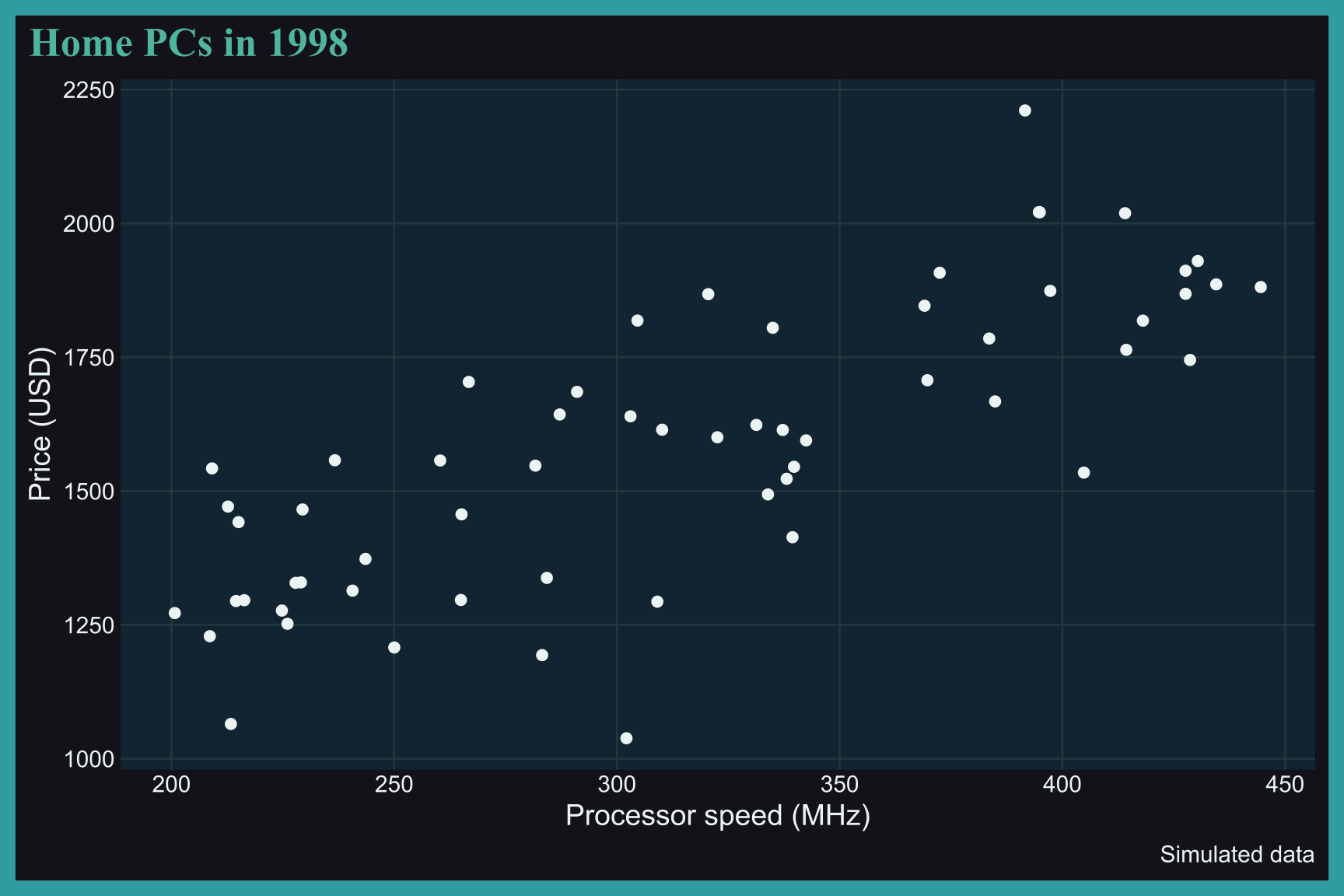
The 90s themes are built on ggplot2::theme_bw() and use features from ggplot2 4.0, so a single theme can control much more than the background and fonts:
Colors: the plot background, the frame around the plot, the panel, and the grid lines all come from a palette sampled from the 90s reference.
Fonts: most themes pair Arial body text with a title display font that fits the reference (Impact for Blockbuster, Gill Sans for NetWare, Comic Sans for GeoCities).
Discrete palettes: palette.fill.discrete and palette.colour.discrete set the colors for categorical variables, so mapping a variable to fill or color uses the theme’s colors automatically.
Continuous palettes: four themes (theme_freshprince(), theme_bopit(), theme_geocities(), and theme_surge()) also set palette.fill.continuous, which colors heatmaps, 2D histograms, and hexagon bins.
Default geoms: element_geom() sets the default fill, colour, and font for layers like geom_bar() and geom_point(), so a graph with no color mapping still matches the theme.
The display fonts are system fonts that ship with macOS. Each theme registers its fonts with sysfonts::font_add(). When a font file can’t be found (on Linux or Windows, for example), the theme falls back to "sans" so the graphs still render. You can also pass any font family you’ve registered yourself:
fmggp2::theme_oksoda(base_family = "sans", title_family = "sans")
fmggp2::theme_batman(base_family = "sans", title_family = "sans")
The showtext package draws the registered fonts in the graphs, so each chapter calls showtext::showtext_auto() in its setup chunk. The themes vignette lists every theme’s fonts.
The tables below list the theme used in each chapter and the 90s reference it’s built from.
| Chapter | Theme | Reference |
|---|---|---|
| Bar graphs | theme_gameboy() |
Original Game Boy screen |
| Histograms | theme_oksoda() |
OK Soda cans |
| Frequency polygons | theme_talkboy() |
Talkboy cassette recorder |
| Dot plots | theme_blockbuster() |
Blockbuster Video |
| Density plots | theme_wired() |
WIRED magazine |
| Violin plots | theme_microdrive() |
IBM Microdrive |
| Box plots | theme_n64() |
Nintendo 64 |
| Chapter | Theme | Reference |
|---|---|---|
| Grouped bar graphs | theme_jurassic() |
Jurassic Park (1993) |
| Summary bar graphs | theme_happymeal() |
McDonald’s Happy Meal box |
| Overlapping bar graphs | theme_netware() |
Novell NetWare |
| Heatmaps | theme_freshprince() |
The Fresh Prince of Bel-Air |
| Waffle charts | theme_pogs() |
Pogs milk caps |
| Cleveland dot plots | theme_walkman() |
Sony Walkman Sports |
| Chapter | Theme | Reference |
|---|---|---|
| Diverging bar graphs | theme_orbitz() |
Orbitz drink |
| Stacked densities | theme_netscape() |
Netscape Navigator |
| Mosaic plots | theme_titanic() |
Titanic (1997) |
| Pie charts | theme_koosh() |
Koosh ball |
| Treemaps | theme_j2me() |
J2ME phone games |
| Chapter | Theme | Reference |
|---|---|---|
| Overlapping histograms | theme_tamagotchi() |
Tamagotchi |
| Overlapping frequency polygons | theme_supersoaker() |
Super Soaker |
| Overlapping dot plots | theme_goosebumps() |
Goosebumps books |
| Beeswarm plots | theme_tetris() |
Tetris |
| Overlapping density plot | theme_pager() |
Two way pagers |
| Ridgeline plots | theme_squeezit() |
Squeezit drinks |
| Grouped box plots | theme_oregontrail() |
The Oregon Trail |
| Grouped violin plots | theme_aim() |
AOL Instant Messenger |
| Raincloud plots | theme_rzone() |
Tiger R-Zone |
| Chapter | Theme | Reference |
|---|---|---|
| Line graphs | theme_batman() |
Batman (1989) |
| Grouped line graphs | theme_snick() |
SNICK |
| Bump charts | theme_visor() |
Handspring Visor |
| Slope graphs | theme_savedbythebell() |
Saved by the Bell |
| Stream plots | theme_hypercolor() |
Hypercolor |
| Alluvial charts | theme_y2k() |
Y2K |
| Instance chart | theme_gushers() |
Fruit Gushers |
| Chapter | Theme | Reference |
|---|---|---|
| Scatter plots | theme_doom() |
Doom |
| Grouped scatter plots | theme_consolewars() |
Console wars |
| Bubble charts | theme_seinfeld() |
Seinfeld |
| Grouped bubble graph | theme_powerrangers() |
Power Rangers |
| Parallel sets | theme_cuseeme() |
CU-SeeMe |
| Density contours | theme_bopit() |
Bop It |
| 2D histograms | theme_geocities() |
GeoCities |
| Hexagon bins | theme_surge() |
Surge |
The pages outside the chapters (like this appendix) use fmggp2::theme_fmggp2(), the original custom theme for this book. It combines elements from ggplot2::theme_minimal() and ggplot2::theme_void() with the Ubuntu font, thin light gray grid lines, and no axis ticks. You can view the source code here.